Google Calendar Sync for Home Service Teams
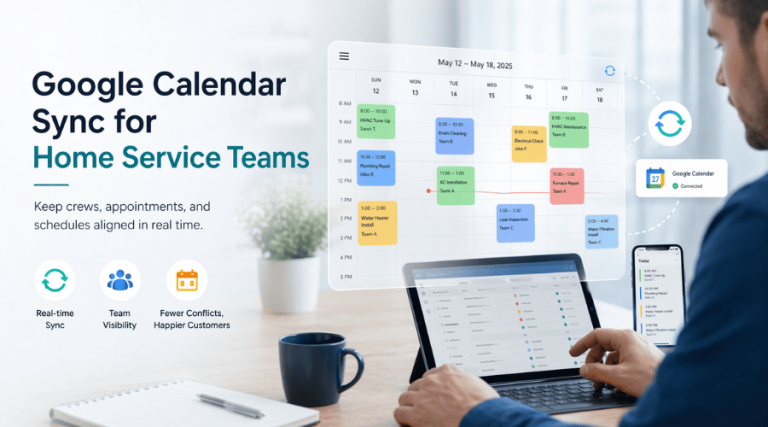
A schedule only works if your team can actually see it.
That is why synching your Google calendar with your schedule matters. BlueSuite helps keep workspace events visible inside the calendar your team already uses every day. Google describes Calendar as a way to “share meetings” and “schedule appointments,” which makes it a practical fit for home service businesses trying to keep office staff and field teams aligned.
What Google calendar sync does in BlueSuite
BlueSuite’s Google calendar integration allows workspace events to sync to each team member’s Google Calendar. Instead of forcing employees to bounce between disconnected tools, the sync helps bring schedule visibility into a familiar daily workflow.
For service businesses, that matters. Teams move between jobs, quotes, follow-ups, internal events, and schedule changes all day. A synced calendar reduces friction and makes it easier to keep everyone on the same page. Google’s own positioning around Calendar centers on planning the day and managing appointments, which supports that use case.
Each user must connect their own account
Here is the important setup detail: each user must individually connect their Google account from their Account settings.
That is not a minor technical footnote. It is how Google account access works. Google states that users can “review and update” their third-party connections “at any time” from their Google Account. That means the connection is tied to the individual user, not magically applied across the whole team because one person clicked a button once.
In other words, if a team member wants BlueSuite schedule to sync with their Google calendar to work for their calendar, that team member needs to authorize their own account.
Why Google calendar sync helps home service teams
Home service businesses live and die by operational clarity. If the schedule is hard to see, the day gets sloppy fast.
That is where Google calendar sync helps. When workspace events appear in a team member’s Google Calendar, there is a better chance they actually see what is coming next. Google explains that booked appointments can “automatically show up” on a calendar, which reflects the broader value of synced event visibility inside a scheduling workflow.
The practical benefits are straightforward:
- better visibility for technicians and office staff
- fewer missed internal events
- less manual calendar updating
- a cleaner scheduling workflow across the team
A better process than manual calendar management
Without Google calendar sync, teams often end up relying on memory, text messages, or duplicate calendar entry. Of course, that works beautifully right up until someone misses something important.
With sync enabled, BlueSuite helps reduce manual effort by pushing visibility into Google Calendar. That does not replace BlueSuite’s scheduling value. It extends it into a calendar environment your team is already checking throughout the day.
Security and permissions still matter
Convenience is good. Account control is better.
Google explains that users can give third-party apps “different levels of access” to a Google Account, including the ability to “access or modify” account data. Google also states that if a user authorizes that level of access, the third party may be able to “edit, create, and delete data” in the account.
That is why each user should connect the correct Google account and understand the permissions involved. For organizations using Google Workspace, admins can also govern access through OAuth settings. Google says admins can “control how apps access” organizational Google data and use admin settings to “govern access” to Workspace services.
So yes, Google calendar sync is convenient. It also fits inside a permission model that users and admins can review and manage responsibly.
How to set up Google calendar sync in BlueSuite
To sync Google calendar, each user should:
- Sign in to BlueSuite
- Open Account settings
- Connect their individual Google account
- Complete the authorization flow
Once connected, that user’s eligible workspace events can sync to their Google Calendar.
Final thoughts
A good integration should remove work, not create more of it.
BlueSuite’s Google calendar sync helps home service teams keep workspace events visible in the calendar system they already use. That means better visibility, less manual effort, and a more reliable day-to-day scheduling process.
And the setup is simple: each user connects their own Google account from Account settings. That is the correct process, the secure process, and frankly the process that makes the integration actually useful.