Contact & Lead Manager for Service Pros
All Your Contacts, Leads, and Customers in One Place
Contact Management
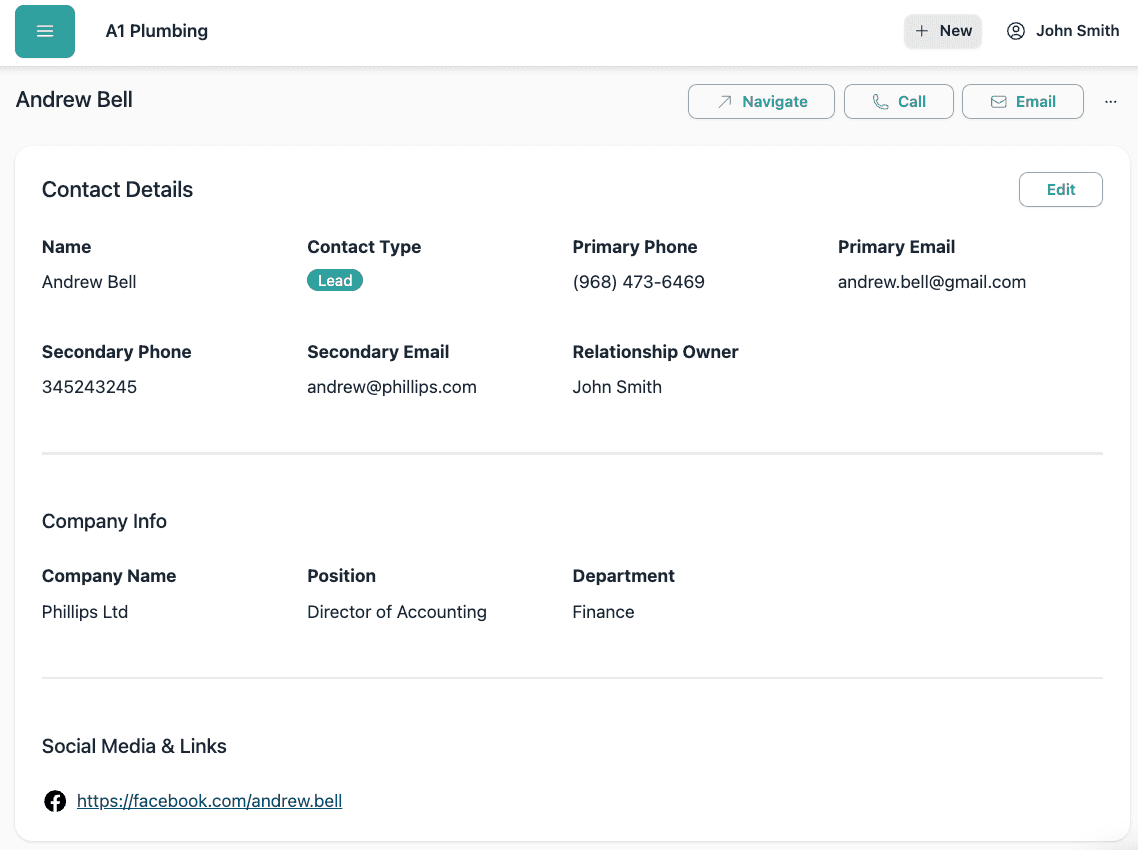
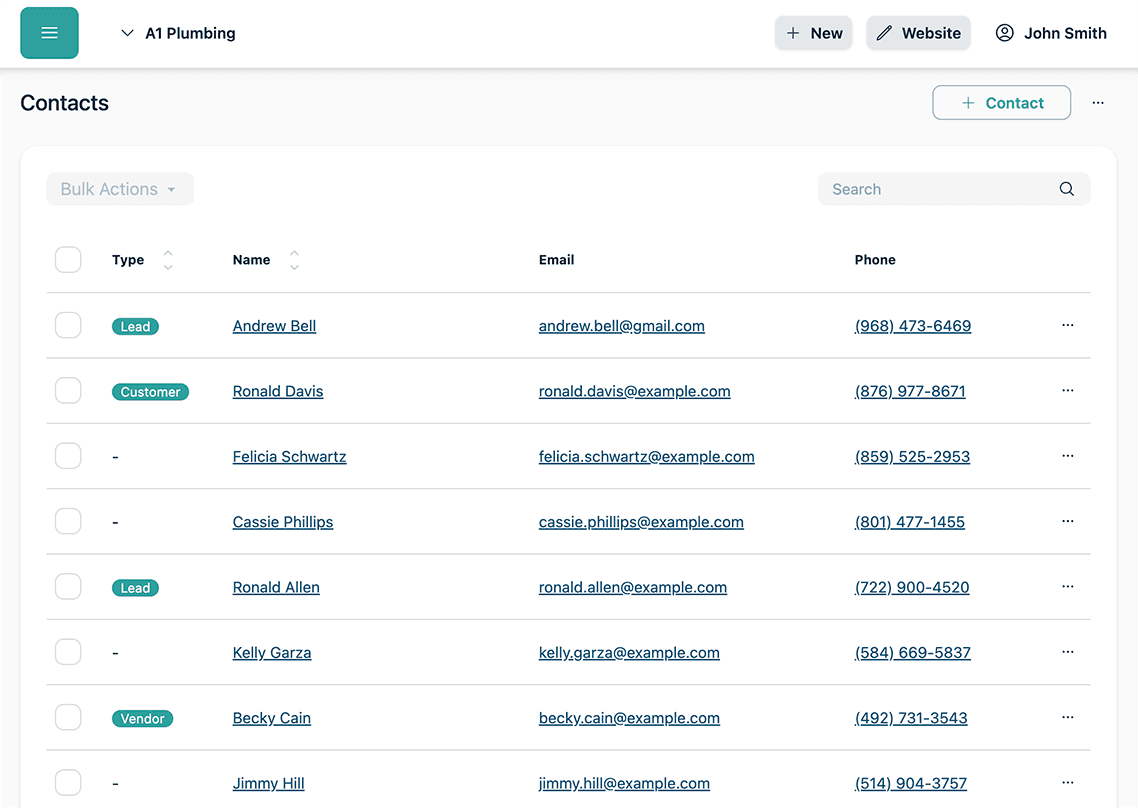
Store and organize all your contacts—leads, customers, vendors, and more. Upload avatars, add company info, and keep everything organized by type.
Lead Management
Track and nurture leads through every stage. Assign statuses, set follow-ups, and convert leads to customers with ease.
Tasks & Reminders
Create follow-up tasks for any contact and get automated reminders before they are due. Assign tasks to team members so nothing slips through the cracks.
Notes & Activity
Log call notes, emails, meetings, and more on any contact. Your full activity timeline keeps jobs, quotes, invoices, and requests in one place.

Powerful Features for Every Relationship

All Details in One Place
View and edit all contact details, including company info, social links, and uploaded avatars. Organize contacts by type—lead, customer, vendor, and more.
Track & Convert Leads
Manage your sales pipeline by tracking lead status, setting reminders, and converting leads to customers with a single click.
See the Full Picture
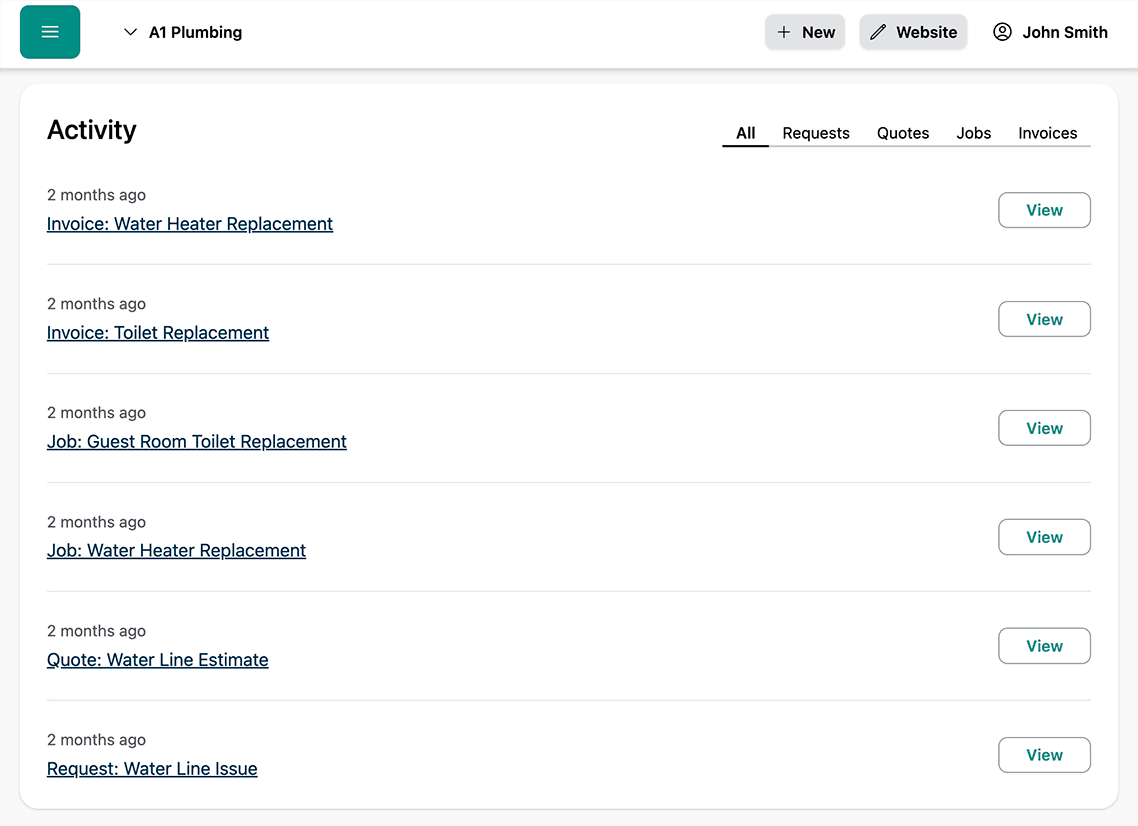
Instantly view all jobs, quotes, invoices, and requests related to any contact. Filter by type and quickly access any record.
Never Miss a Follow-Up
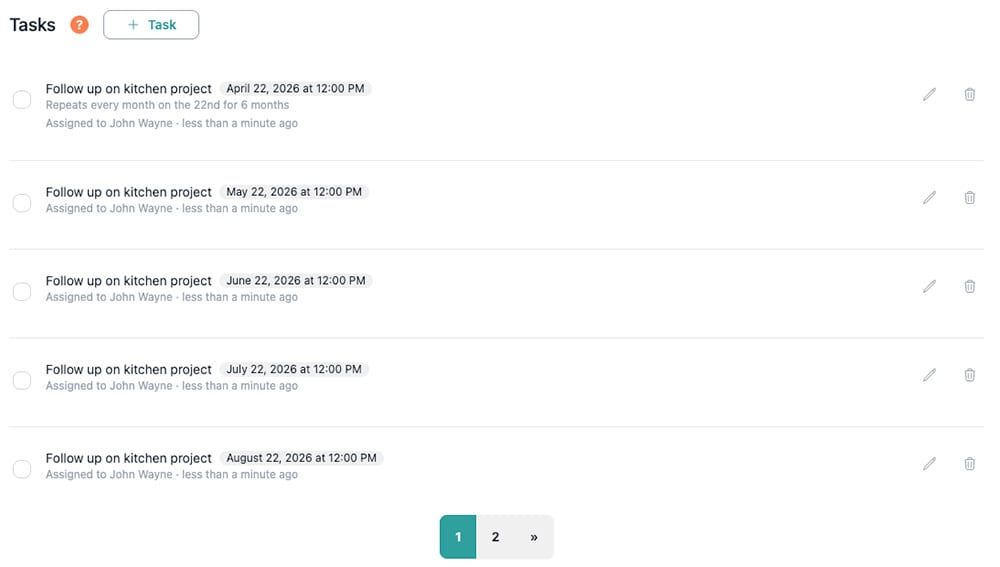
Create tasks for any contact, like follow-up calls or check-ins, and get automated reminders 24 hours before they are due. Set up recurring tasks for regular touchpoints, and assign them to specific team members so everyone knows what they are responsible for.
Ready to take your home service business to the next level?
Frequently Asked Questions
What types of contacts can I manage?
You can manage leads, customers, vendors, and any other business relationship. Organize contacts by type and easily filter your list.
How does the activity timeline work?
The activity timeline shows all jobs, quotes, invoices, and requests related to a contact. You can filter by type and quickly access any record for a complete history.
Can I upload profile pictures or avatars?
Yes! You can upload avatars for any contact to personalize your CRM and make profiles easy to recognize.
Can my team leave notes and comments?
Yes. Your team can log call notes, meeting summaries, emails, and any other interactions directly on a contact. Everything is timestamped so you have a complete record of every conversation.
How do tasks and reminders work?
You can create tasks on any contact, like scheduling a follow-up call or sending a proposal. Set a due date and turn on reminders to get notified 24 hours before the task is due. Tasks can be assigned to specific team members and set to repeat on a schedule for regular check-ins.
What's the difference between a lead and a customer?
A lead is a potential customer who has not yet made a purchase or booked a job. Once a lead is converted (e.g., after a job is completed or a quote is accepted), they become a customer. You can track and convert leads easily in BlueSuite.
Is there a mobile app for iOS and Android?
Yes. BlueSuite is available on phones and tablets with our iOS and Android app, so you can access contacts, view timelines, and stay on top of follow-ups from anywhere.