Job Management Made Simple
Streamline Your Job Management
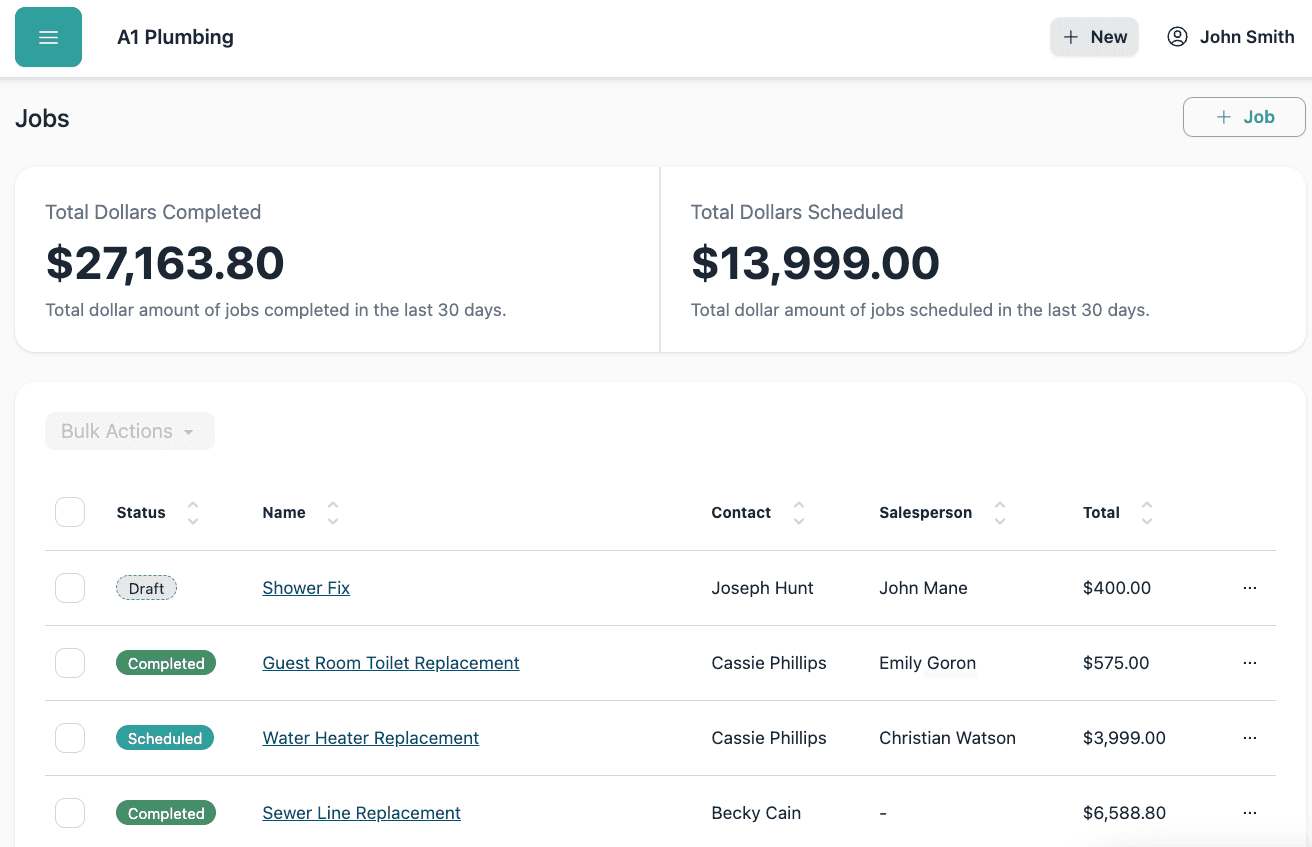
Job Tracking
Monitor job progress, set appointments, and ensure nothing falls through the cracks with real-time status updates and automated workflows.
Team Scheduling
Plan, assign, and adjust job schedules with a powerful calendar. Drag and drop jobs, put repeat customers on a standing schedule, and sync with team members.
Team Management
Assign jobs to team members, track their progress, and manage their schedules all in one place. Keep everyone on the same page.

Everything you need to manage your jobs

Job Tracking & Management
Track, assign, create statements of work, and manage jobs with real-time updates and automated workflows. Monitor job progress, set appointments for your team, and ensure nothing falls through the cracks with status updates. Keep job details, documents, and communications in one place for a smoother, more organized workflow.
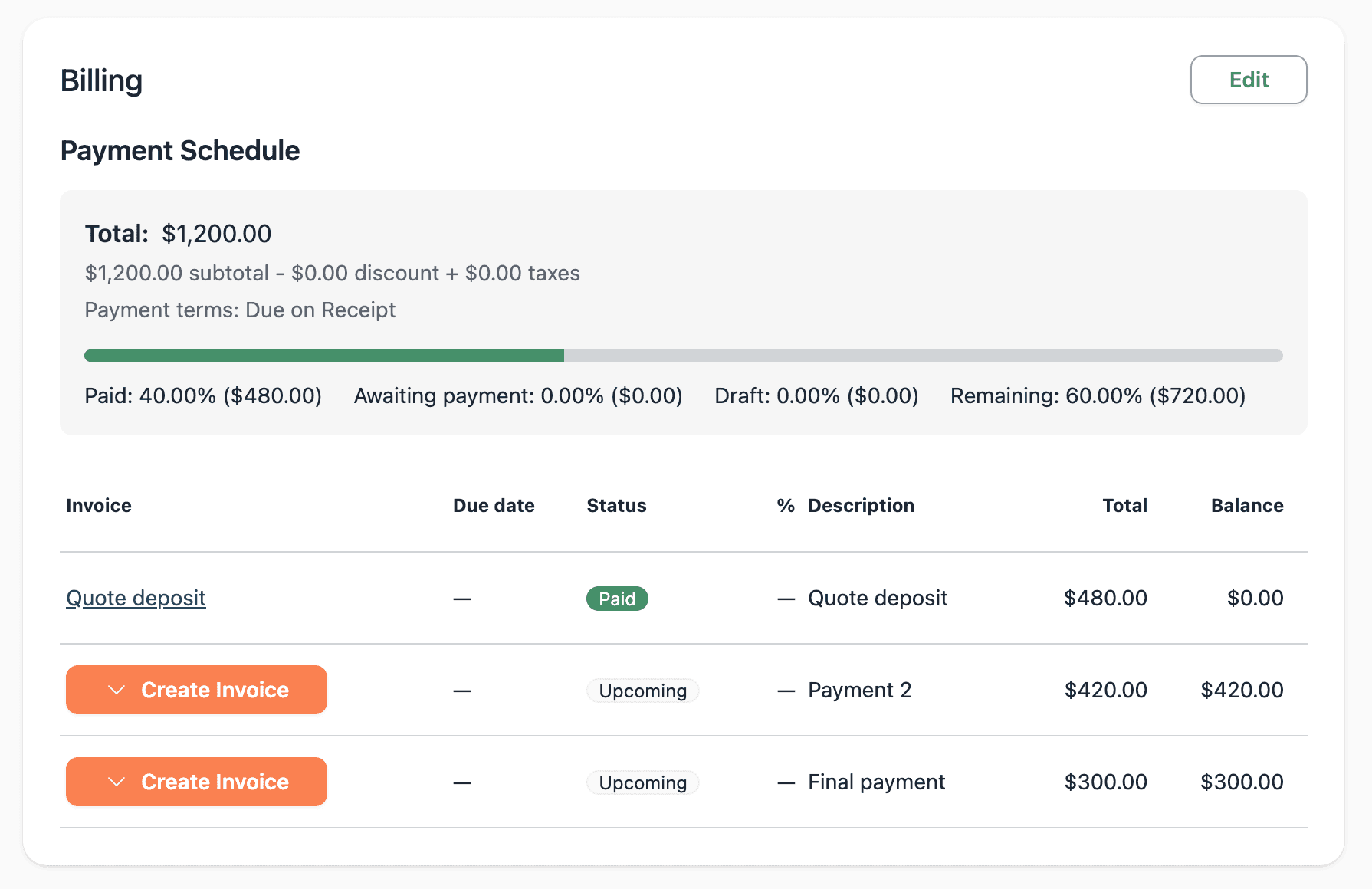
Payment Schedules & Job Billing
Track the agreed payment schedule alongside the work. See any paid quote deposit and each upcoming installment, then create its invoice when you are ready to bill. Invoices, payment statuses, and the remaining amount stay together so you can see what comes next.
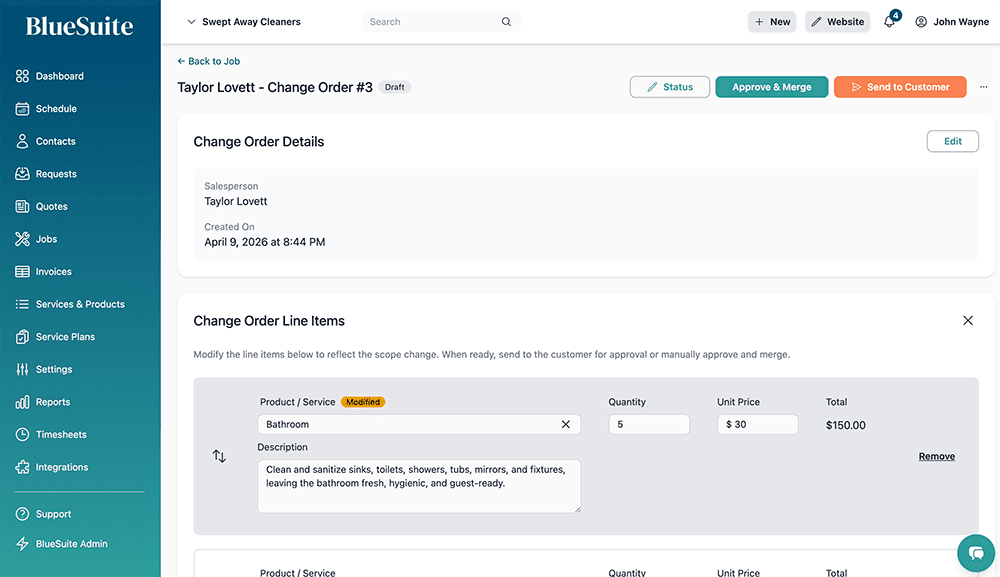
Change Orders
When the scope of a job changes, create a change order to keep everything organized. Add new line items, adjust pricing, and send to your customer for approval. Once approved, the change order merges into the original job so your records stay clean and accurate.
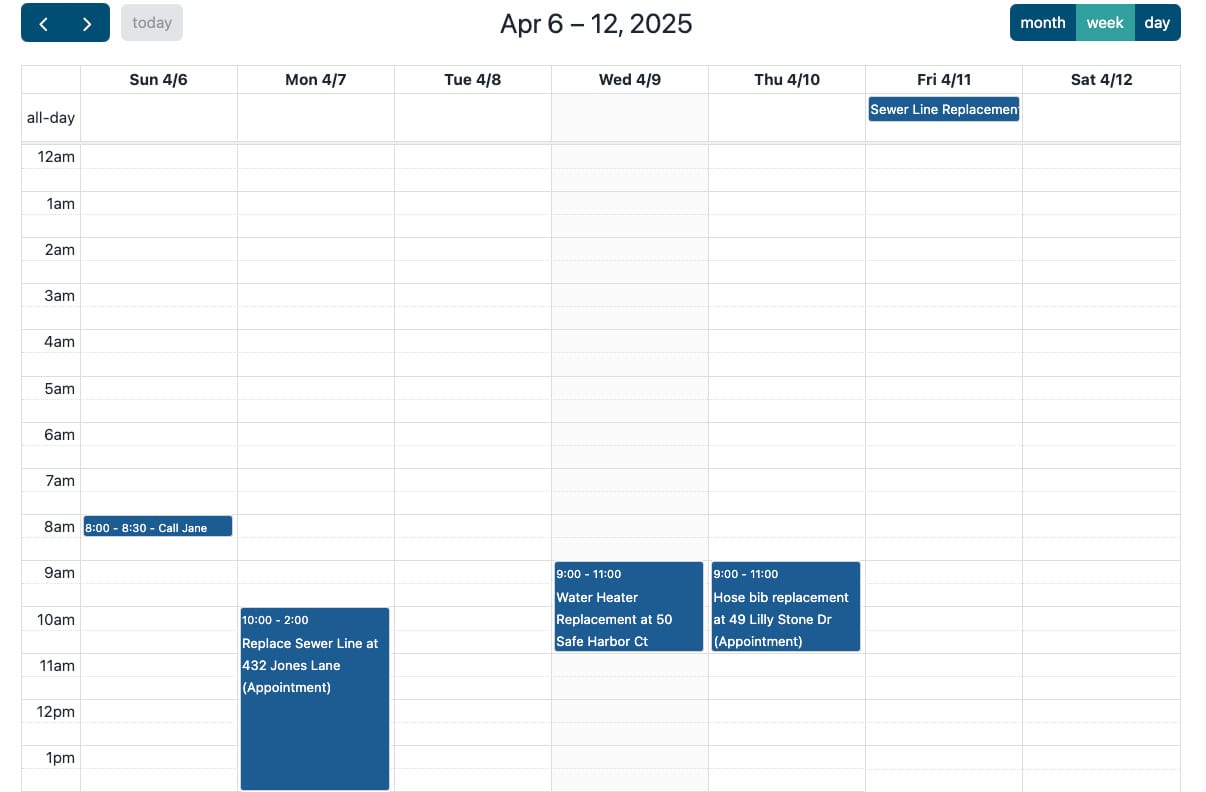
Scheduler & Calendar Tool
Plan, assign, and adjust job schedules with a powerful, easy-to-use calendar. Drag and drop jobs, put repeat customers on a standing schedule, and sync schedules with team members in real time. Get automatic reminders and prevent scheduling conflicts, keeping your workflow smooth and efficient.
Team Collaboration
Enable seamless communication and collaboration among team members. Share job details, updates, and documents in real-time. Keep everyone informed and aligned with automated notifications and status updates.
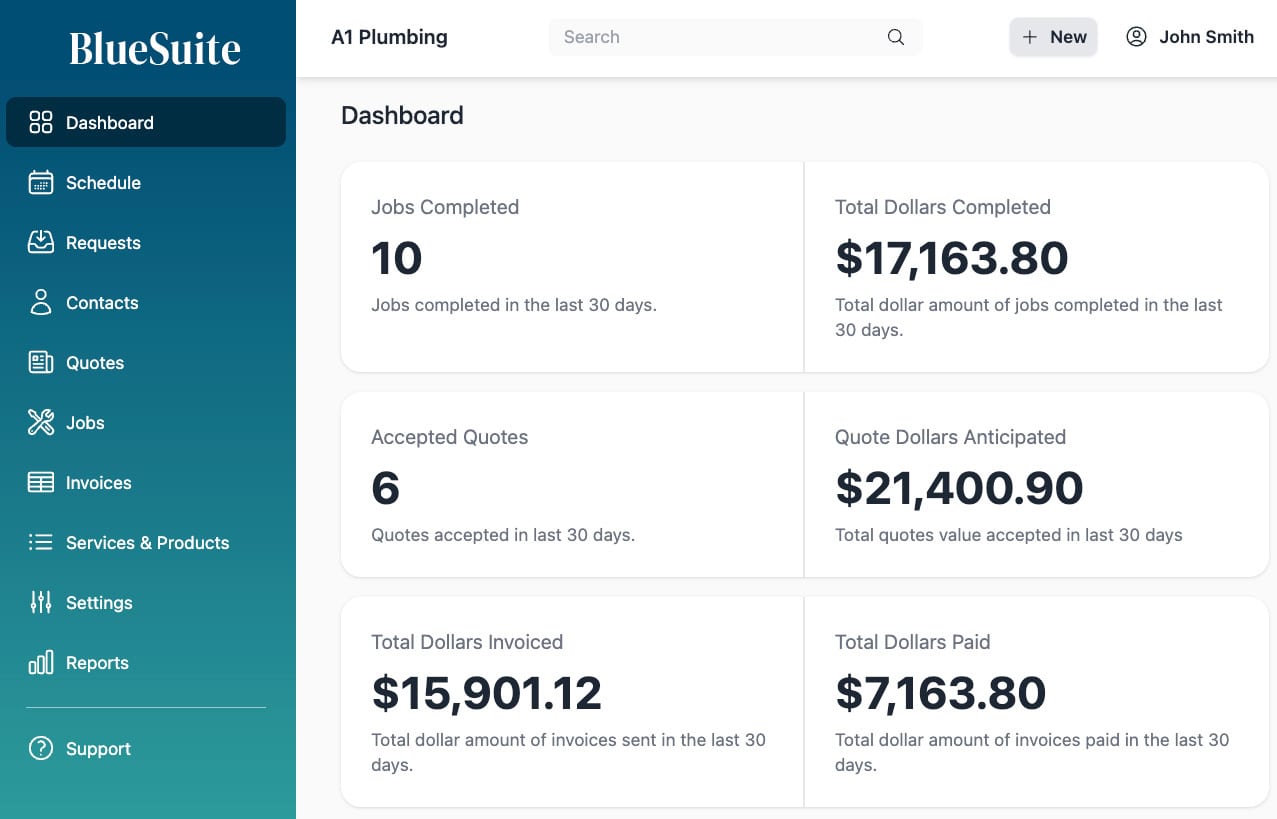
Automated Job Management
Set up automated workflows to streamline your job management process. Create custom statuses, automate notifications, and trigger actions based on job progress. Save time and reduce manual work with smart automation.
Ready to take your home service business to the next level?
Frequently Asked Questions
How does job tracking work?
BlueSuite's job tracking system allows you to monitor job progress in real-time, assign tasks to team members, and receive automated status updates. You can create custom workflows, set deadlines, and keep all job-related information in one place.
Can I schedule recurring jobs?
Yes. Set the job to recurring and pick how often it repeats: weekly, monthly, quarterly, or a custom pattern you build. One job holds the work, the pricing, and the schedule, and every visit is placed on the calendar for you. Run it for a set number of visits, until a date, or leave it open-ended and let BlueSuite keep adding visits as time goes on.
How does billing work on a recurring job?
Each visit bills itself. When an appointment is marked complete, BlueSuite creates an invoice for that visit from the products and services on the job and sends it right away. Turn on autopay and the card on file is charged for you. Nothing is billed for a visit that was cancelled or never happened, so there is no cleanup afterwards. You can also switch off auto invoicing and bill those visits yourself.
What happens when a customer cancels ongoing service?
Open the job and click End Schedule. Cancel all upcoming visits at once, or let the schedule run through a date you choose. Completed visits and their invoices stay exactly as they were, so you keep the full history of what you did for that customer.
How do team assignments work?
You can easily assign jobs to team members through the dashboard or calendar. Team members receive notifications about their assignments and can update job statuses in real-time. The system also prevents scheduling conflicts and ensures optimal resource allocation.
Can I customize job statuses?
Yes, you can create custom job statuses to match your business workflow. Set up automated notifications and actions based on status changes to keep your team informed and maintain efficient operations.
How does the mobile app help with job management?
The BlueSuite mobile app allows your team to access job details, update statuses, and communicate on the go. They can view their schedule, receive notifications, and stay connected with the office, even when they're in the field.
Can I track job costs and expenses?
Yes, BlueSuite allows you to track job-related costs and expenses. You can log materials, labor, and other expenses directly to specific jobs, helping you monitor profitability and maintain accurate financial records.
Is there a mobile app for iOS and Android?
Yes. BlueSuite is available on phones and tablets with our iOS and Android app, letting your team view schedules, update job statuses, and communicate from the field.