Powerful Calendar & Scheduler
Keep Your Schedule Organized
Smart Calendar
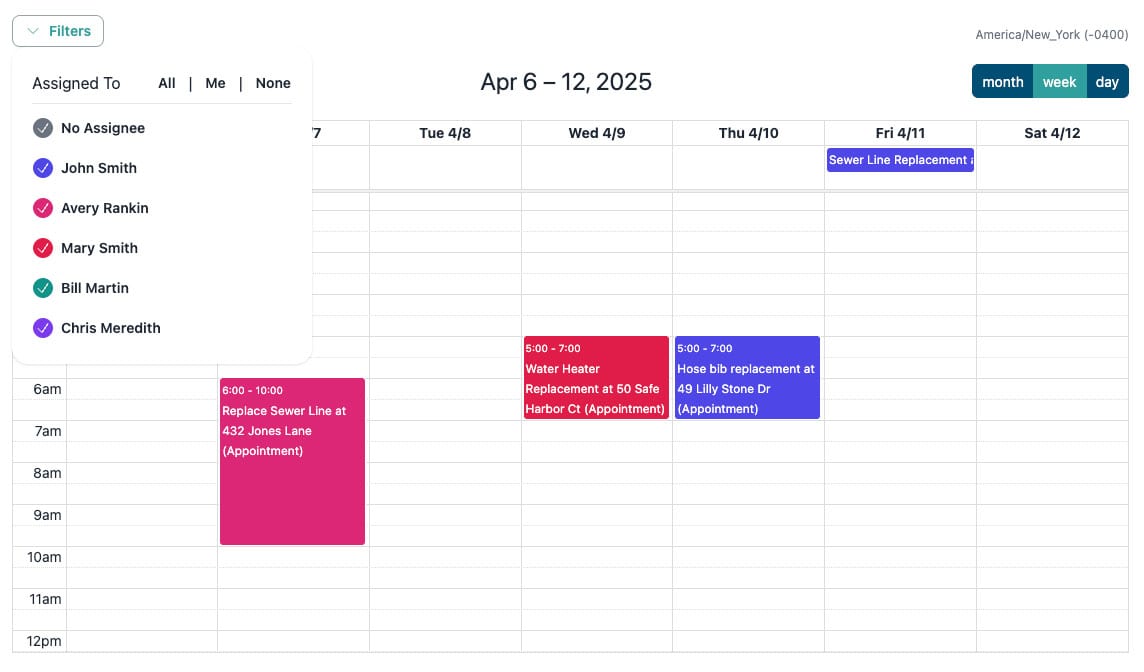
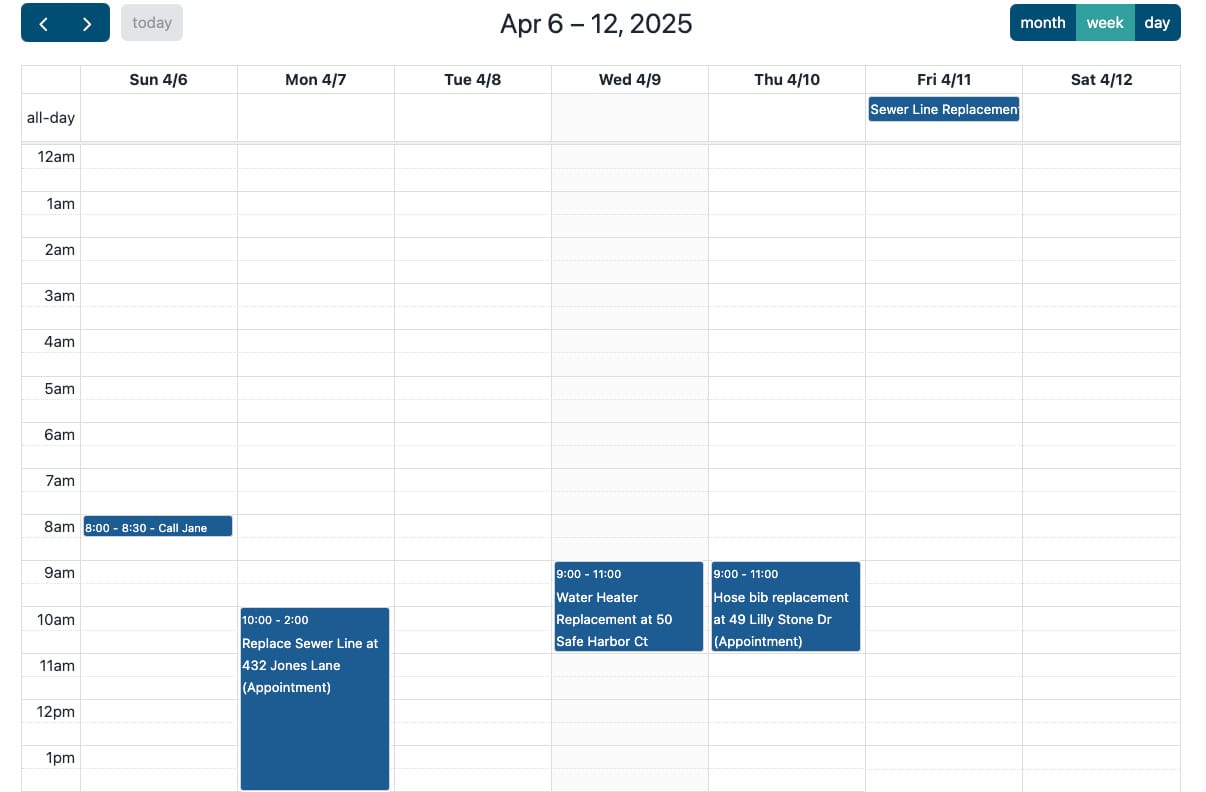
Plan and manage appointments, events, and tasks with an intuitive calendar interface. Drag and drop events, color code team members, and put repeat work on a schedule that fills the calendar for you.
Time Management
Set appointment durations and manage your daily schedule efficiently. Keep track of your time and prevent overbooking with smart scheduling tools.
Smart Notifications
Get automatic reminders and notifications for upcoming appointments. Never miss an important meeting or deadline.

Everything you need to manage your schedule

Scheduler & Calendar Tool
Plan, manage, and adjust appointments with a powerful, easy-to-use calendar. Drag and drop events, put repeat customers on a standing schedule, color code team members, and organize your day efficiently. Get automatic reminders and prevent scheduling conflicts, keeping your workflow smooth and efficient.
Smart Event Features
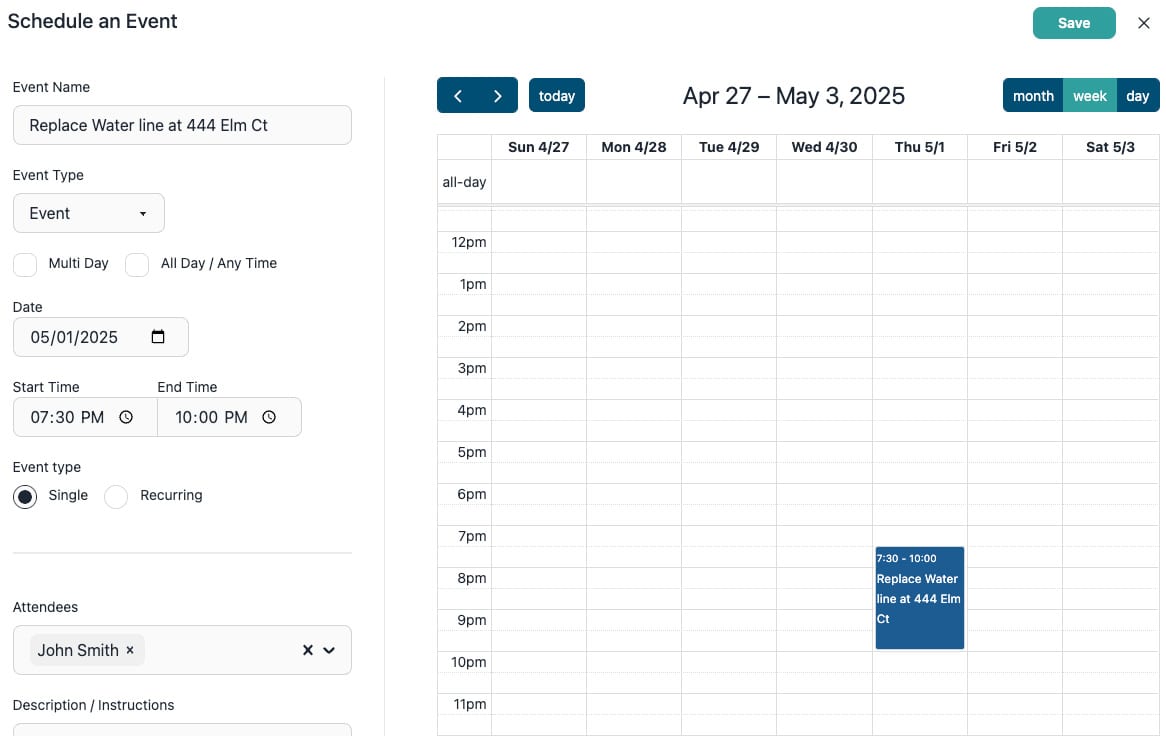
Create detailed events with custom durations and notes. Set up recurring events with flexible patterns and manage event categories. Keep all your important information in one place for better organization.
Smart Notifications
Set up automated reminders and notifications for upcoming appointments. Customize notification preferences for different event types and receive alerts via email or mobile. Keep your schedule on track with timely reminders and updates.
Online Booking
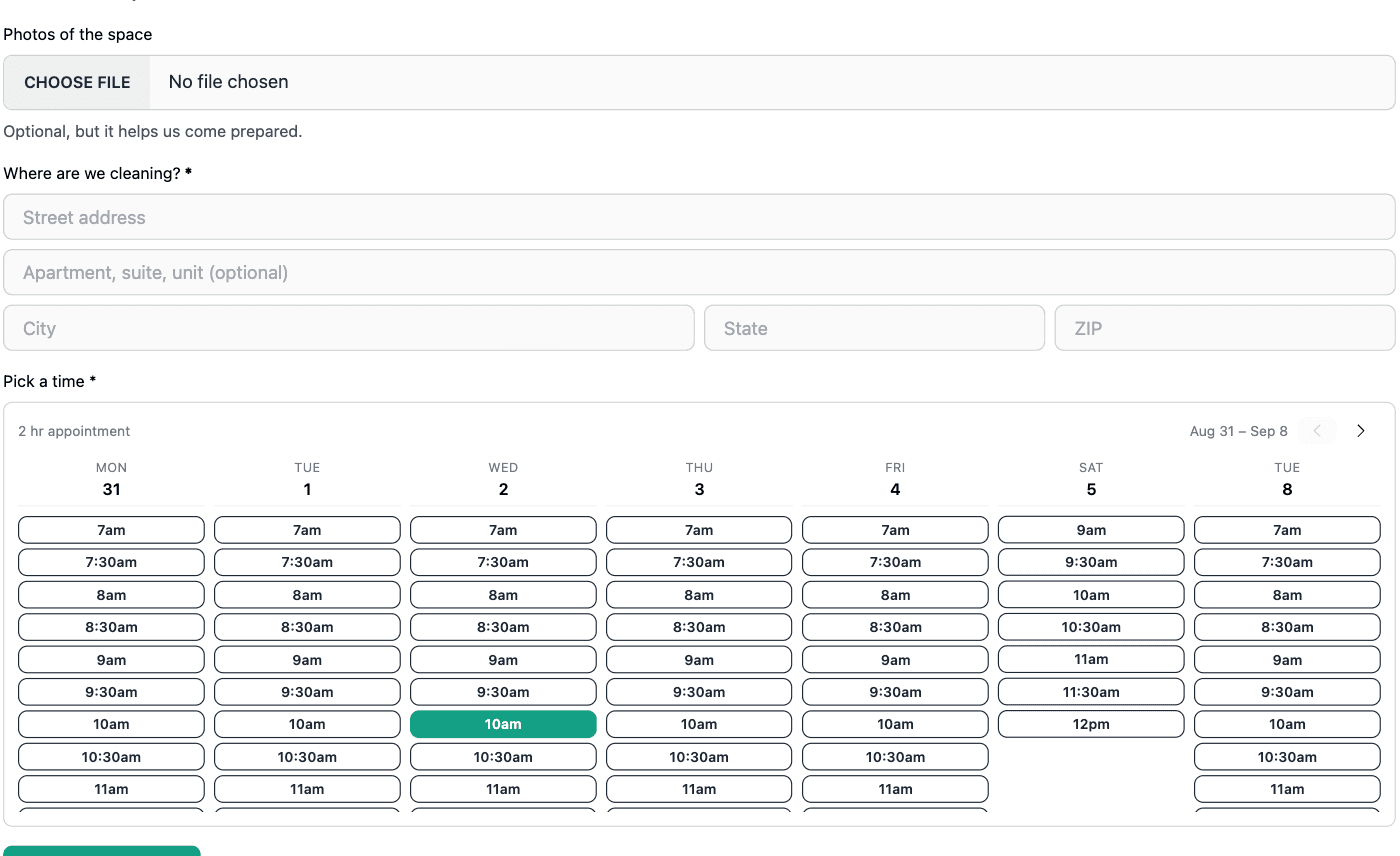
Put a booking form on your website and customers pick a real appointment time themselves. Only times one of your bookable team members is genuinely free for are ever offered, going by their own working hours, the jobs already on their calendar, your holidays, and the buffer you keep between visits. Whoever is still free when the customer books gets the appointment, so it lands on a real person's schedule rather than in a pile nobody owns. Available on the Advanced plan.
Schedules That Keep Themselves Going
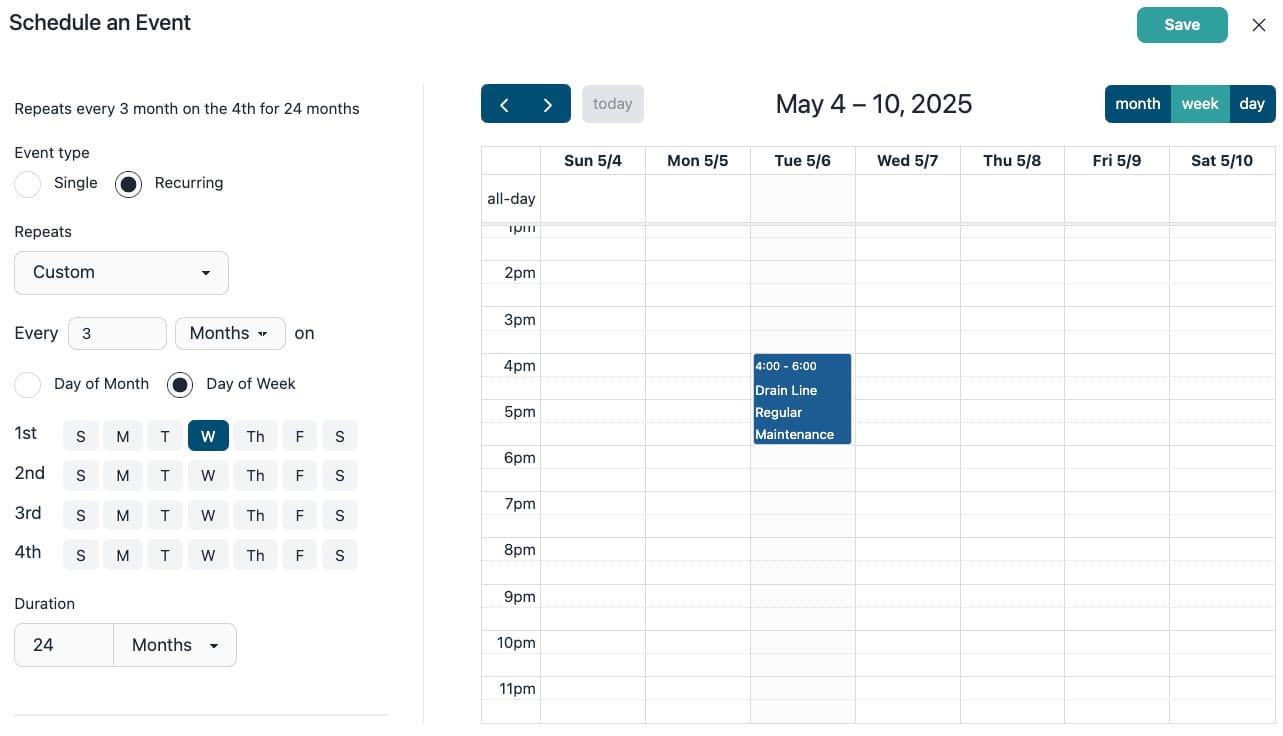
For customers you serve on a schedule, set the pattern once on the job and every visit lands on the calendar. Repeat daily, weekly, monthly, or on a custom pattern you build, and run it for a set number of visits, until a date you pick, or with no end at all. Open-ended schedules really are open-ended: BlueSuite keeps adding visits as time passes, and dates further out show on the calendar as auto-scheduled so no month is ever blank. Move or edit a single visit without touching the rest, and when a customer cancels, end the whole schedule in one click and keep every past visit and invoice.
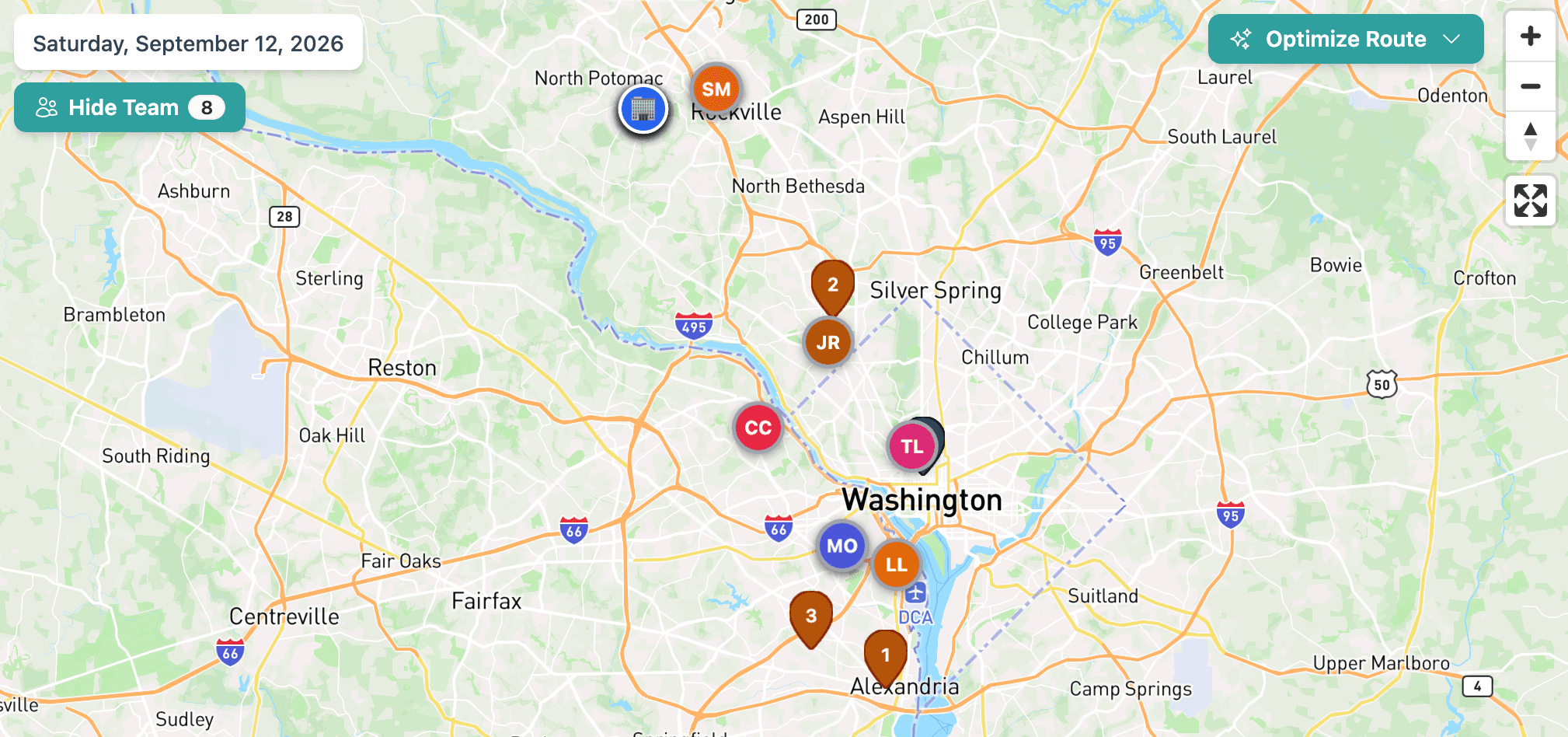
See Employee Locations Alongside the Day's Jobs
Turn on Show Team in today's schedule map to see your employees' last reported GPS phone locations alongside the day's jobs. See who's near the next appointment or a new service call without switching screens or calling around. Check when a location was last reported to help decide who to send.
Ready to take your home service business to the next level?
Frequently Asked Questions
How does the drag-and-drop scheduling work?
The calendar interface allows you to easily move appointments around by dragging and dropping them. You can also adjust event durations and details directly from the calendar view.
Can customers book their own appointments?
Yes, on the Advanced plan. Build a booking form, put it on your website or share its link, and customers choose a time without calling you. BlueSuite only offers times a bookable team member is actually free for, works out how long the visit needs from the services the customer picks, and assigns whoever is still free at the moment they book. See online booking for the full picture.
Can I set up recurring appointments?
Yes. Repeat visits are built on the job, so the schedule and the billing stay together. Create the job, set it to recurring, and pick your pattern: daily, weekly, monthly, or a custom one you build yourself. Every visit is placed on the calendar for you. Internal events and tasks can also be set to repeat on their own from the calendar.
How long can a repeat schedule run?
As long as you need. Run it for a set number of visits, until a date you choose, or leave it open-ended. Open-ended schedules keep going on their own, with new visits added as time passes. Dates further out show on the calendar as auto-scheduled, so you can see the pattern months ahead and still drag or edit any one of them.
How do I stop a repeating schedule?
Open the job and click End Schedule. You can cancel every upcoming visit right away, or let the schedule run through a date you pick and drop everything after it. Completed visits and the invoices tied to them are always kept, so ending a schedule never touches your history.
How do notifications work?
You'll receive notifications about upcoming appointments, schedule changes, and important events. You can customize notification preferences for different event types and set up automated reminders to ensure you never miss an appointment.
Can I view my schedule on mobile?
Yes, the BlueSuite mobile app provides full access to your scheduling calendar. You can view your schedule, receive notifications, and manage appointments on the go. The mobile interface is optimized for easy viewing and interaction.
How do I manage my daily schedule?
The system helps you manage your daily schedule by allowing you to set appointment durations and organize your time effectively. You can easily view your day's appointments, events, and tasks and make adjustments as needed.
Can I prevent scheduling conflicts?
Yes, the system automatically checks for scheduling conflicts when you create or modify appointments. It will alert you to any potential issues and help you resolve them before they become problems.
Can I manage my schedule on mobile?
Yes. BlueSuite is available on iOS and Android phones and tablets. View your calendar, receive notifications, and manage appointments on the go.