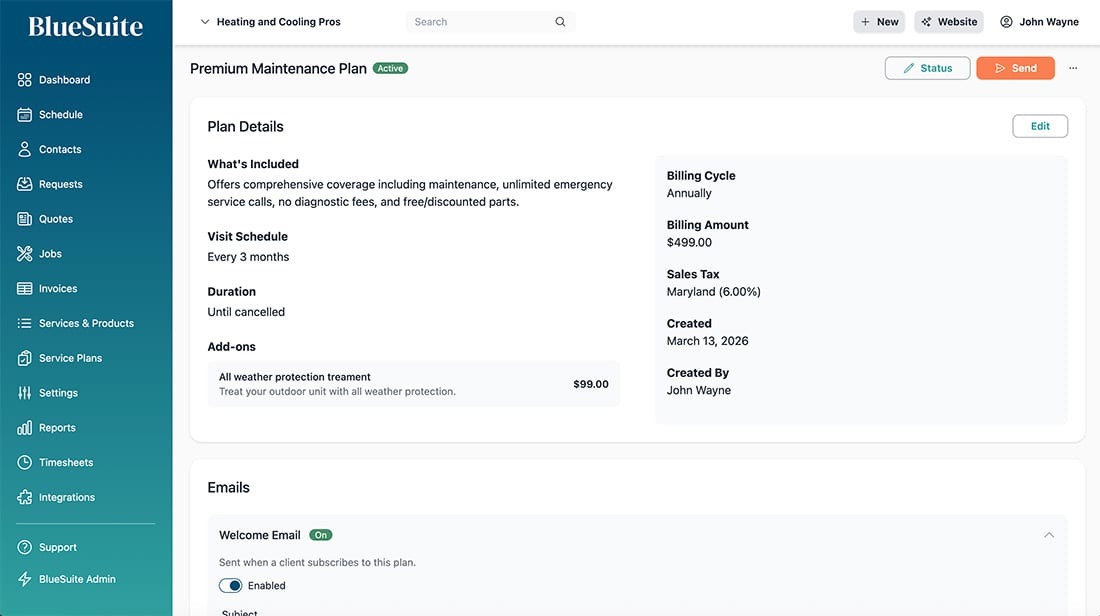
Recurring Service Plans for Steady Revenue
Build Predictable, Recurring Revenue
Automated Billing
Set up recurring billing cycles — monthly, quarterly, or annually — and let the system handle invoicing and payment collection automatically.
Scheduled Visits
Define visit schedules for each plan so service appointments are automatically created for each billing period. Never miss a maintenance visit.
Smart Email Notifications
Customize welcome emails, appointment reminders, and billing notifications with dynamic variables to keep your customers informed at every step.

Everything you need to manage service plans

Create & Manage Service Plans
Build service plans with detailed descriptions, visit schedules, billing cycles, and pricing. Add optional add-ons customers can select when subscribing. Set plans as active or inactive, and manage everything from one clean dashboard.
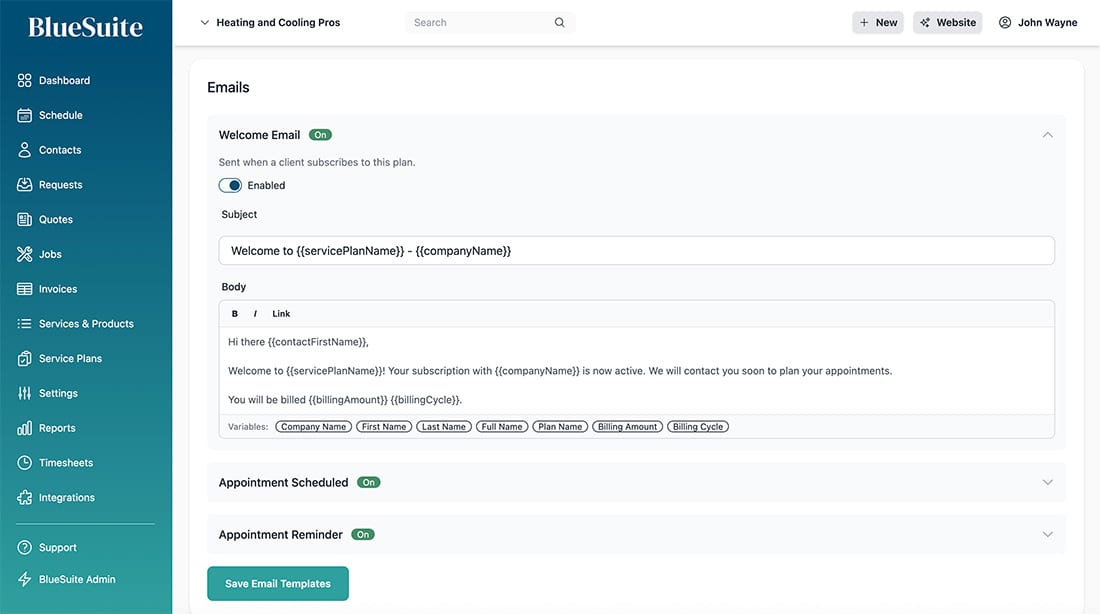
Customizable Email Templates
Set up welcome emails, appointment scheduled notifications, and appointment reminders with a built-in rich text editor. Use dynamic variables like customer name, plan name, billing amount, and billing cycle to personalize every message. Enable or disable each email type as needed.
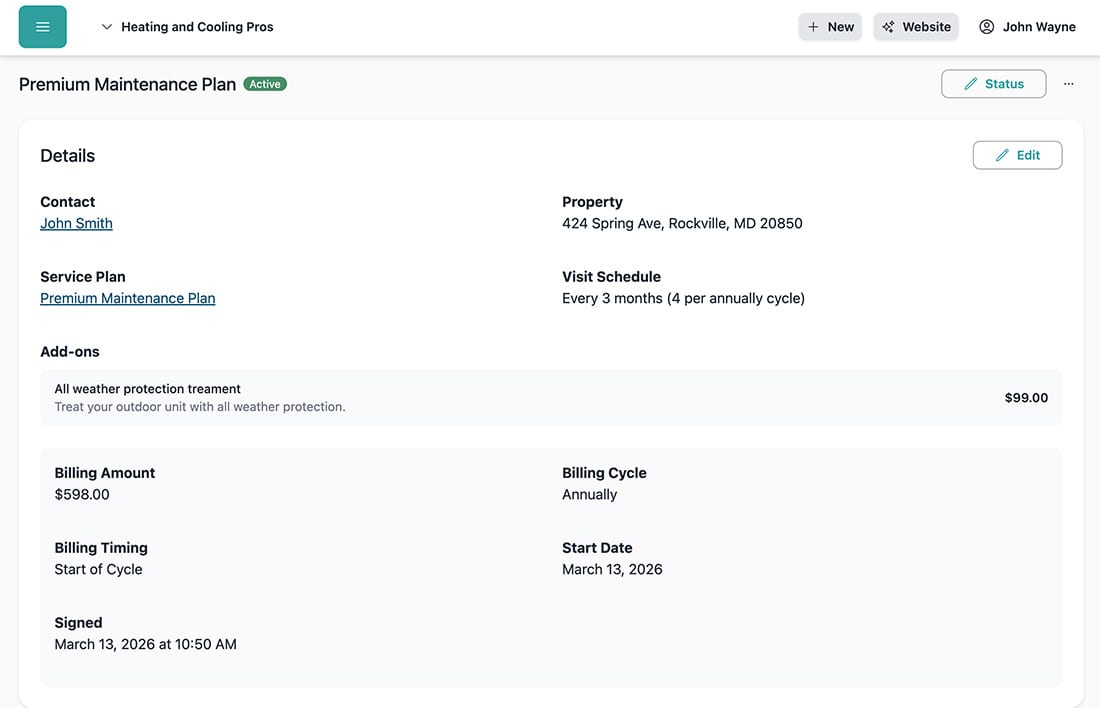
Manage Customer Subscriptions
View and manage every subscription with full details — contact info, property, visit schedule, billing amount, payment method, and start date. Track add-ons, adjust billing timing, and see the complete history of each subscriber at a glance.
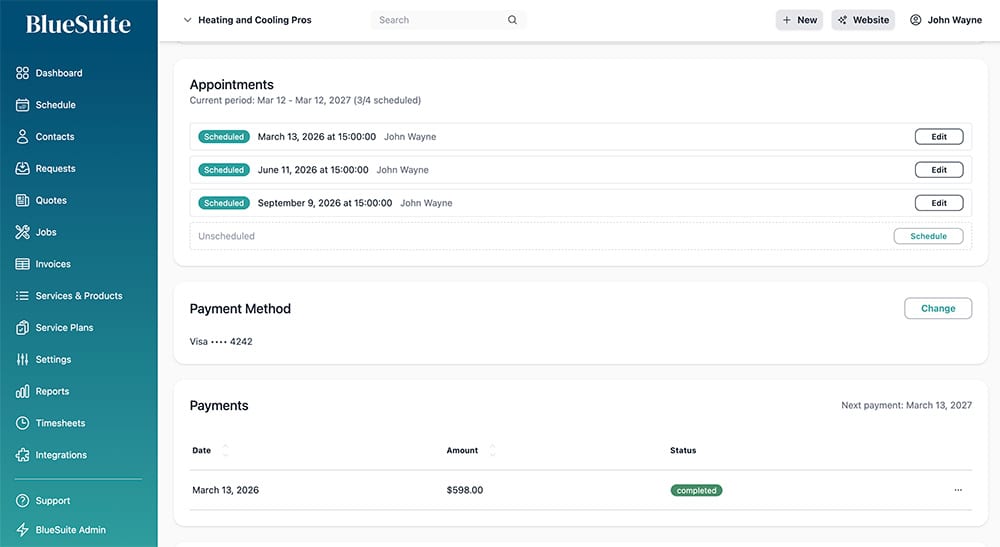
Appointments & Payment Tracking
Each subscription automatically generates appointments based on the plan's visit schedule. View scheduled and unscheduled visits, track payment history with status indicators, and see upcoming payment dates — all from one screen.
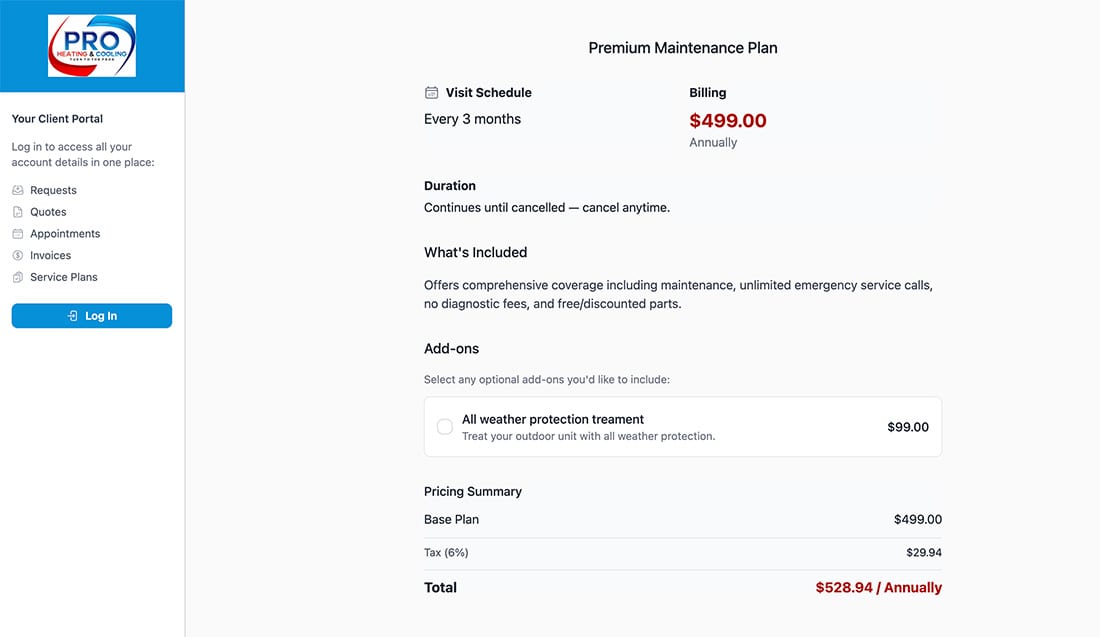
Self-Service Portal Sign-Up
Customers can browse your service plans, select add-ons, and see a full pricing summary — including tax — right from your client portal. They enter their name, email, and property address, then subscribe with one click. No phone calls needed.
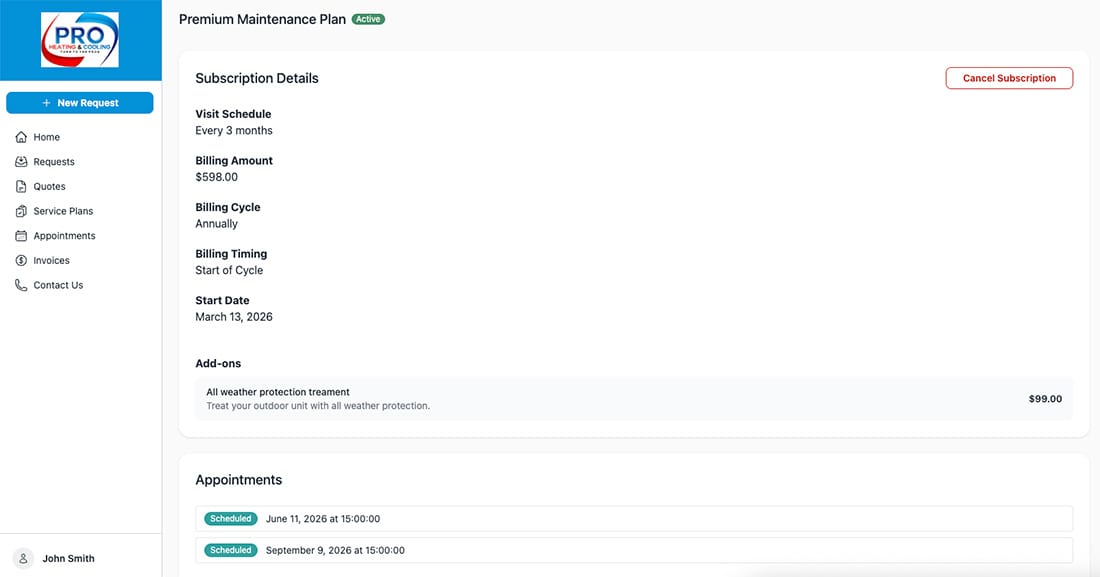
Portal Subscription Management
Once subscribed, customers can log in to view their subscription details, see upcoming appointments, and manage their plan — including cancellation. Give your customers transparency and control, while you reduce support calls.
Ready to take your home service business to the next level?
Frequently Asked Questions
What are service plans?
Service plans are recurring maintenance packages you create for your customers. For example, an HVAC company might offer a "Premium Maintenance Plan" with quarterly visits, annual billing, and optional add-ons like all-weather protection treatment. Customers subscribe and receive regular service automatically.
Can customers subscribe to plans themselves?
Yes! If you have the Client Portal enabled, customers can browse your available service plans, select optional add-ons, review pricing with tax, enter their information, and subscribe online — no phone calls or paperwork required.
How does billing work for service plans?
You set the billing cycle (monthly, quarterly, annually, etc.) and the billing amount when creating a plan. Payments are automatically collected based on the billing schedule. You can track all payments and see upcoming payment dates from the subscription detail screen.
Are appointments automatically scheduled?
Appointments are generated based on the visit schedule you define in the plan. For example, a plan with quarterly visits will generate four appointments per annual billing cycle. You can then schedule specific dates and assign team members from the subscription screen.
Can I add optional add-ons to a plan?
Yes. You can add optional add-ons with descriptions and pricing to any service plan. When customers subscribe — either through the portal or when you create a subscription manually — they can select which add-ons to include. Add-on costs are included in the billing total.
What email notifications are sent?
You can configure three types of automated emails: a welcome email when a customer subscribes, an appointment scheduled notification when visits are booked, and an appointment reminder before upcoming visits. Each email is fully customizable with dynamic variables like customer name, plan name, and billing details.
Can customers cancel their subscription?
Yes. Customers with portal access can view their subscription details and request cancellation directly from the portal. You can also cancel or update subscriptions from the admin dashboard.
Which plan includes service plans?
Service Plans are available on the Advanced plan. Upgrade to Advanced to start offering recurring maintenance packages and building predictable revenue.