Let Customers Book You While You Work
Stop Playing Phone Tag to Set a Time
Booked While You Are Busy
Your booking form is open when your phone is not. Customers pick a time that works for them, and you wake up to a booked day instead of a voicemail asking when you are free.
Only Times You Can Really Work
A time shows up only when someone who does the work is actually free for it. Not when the office is open. Existing jobs, each person's hours, and holidays are all taken into account before a slot is offered.
Straight Onto the Calendar
A booking is not an email you have to deal with later. It lands as a real appointment on a real person's schedule, with the customer's answers, address, and services attached.

Your availability, your rules

Pick a Time
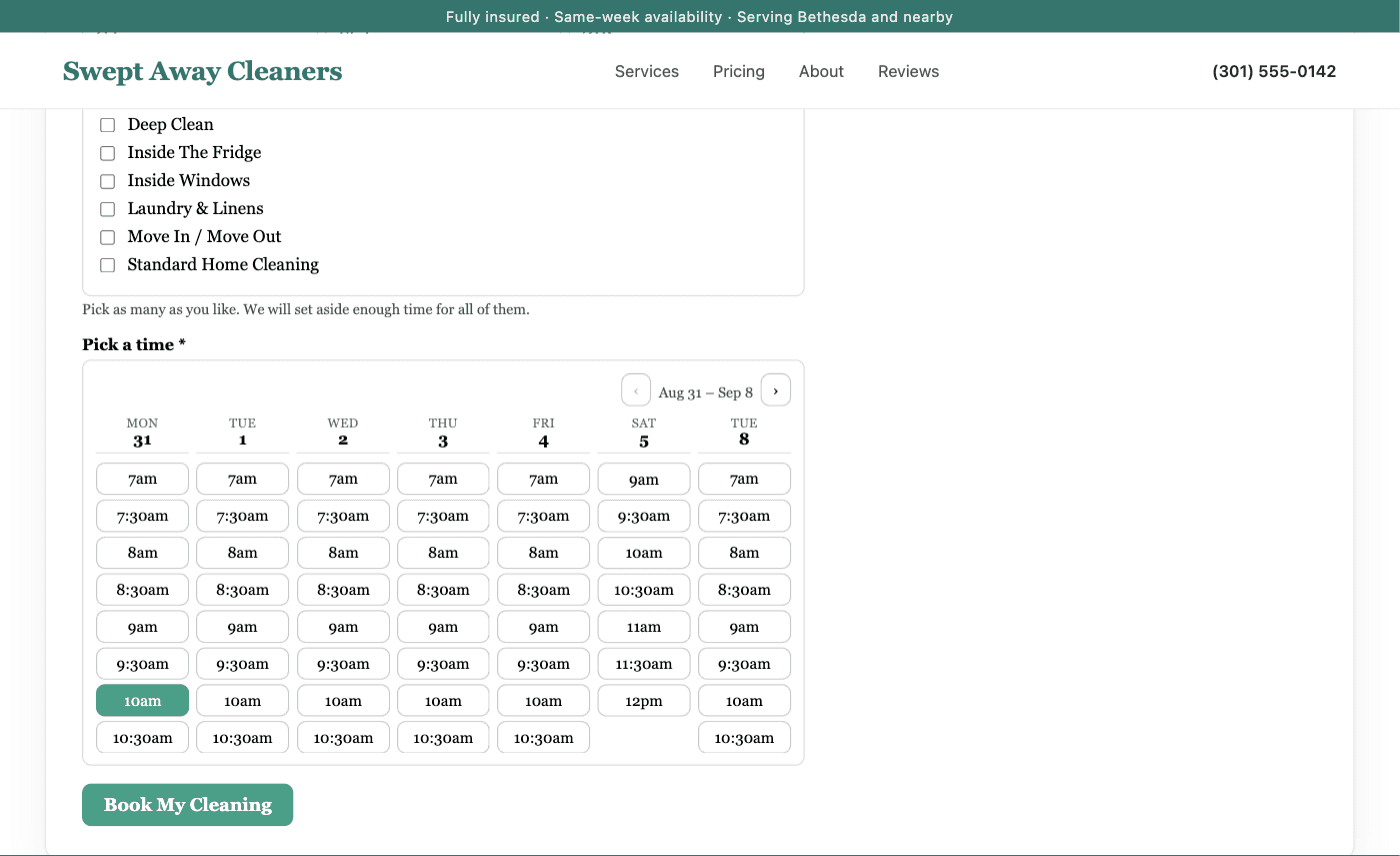
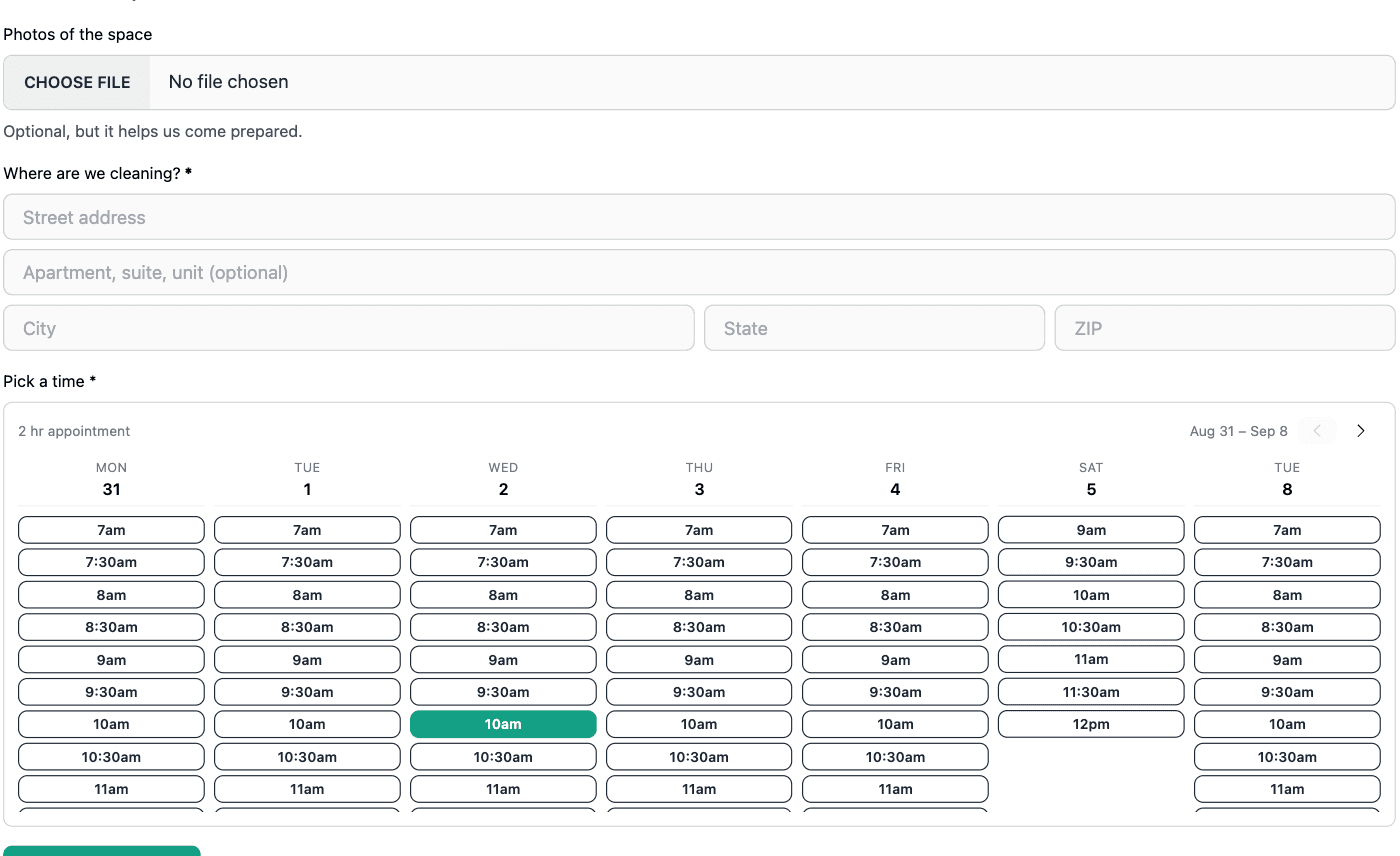
Customers see a screenful of days with the open times under each one, so they can compare Tuesday against Thursday without clicking through every day of the week. Days with nothing open are skipped instead of shown empty. On a phone it narrows to one day at a time and still pages the same way.
Who Can Be Booked
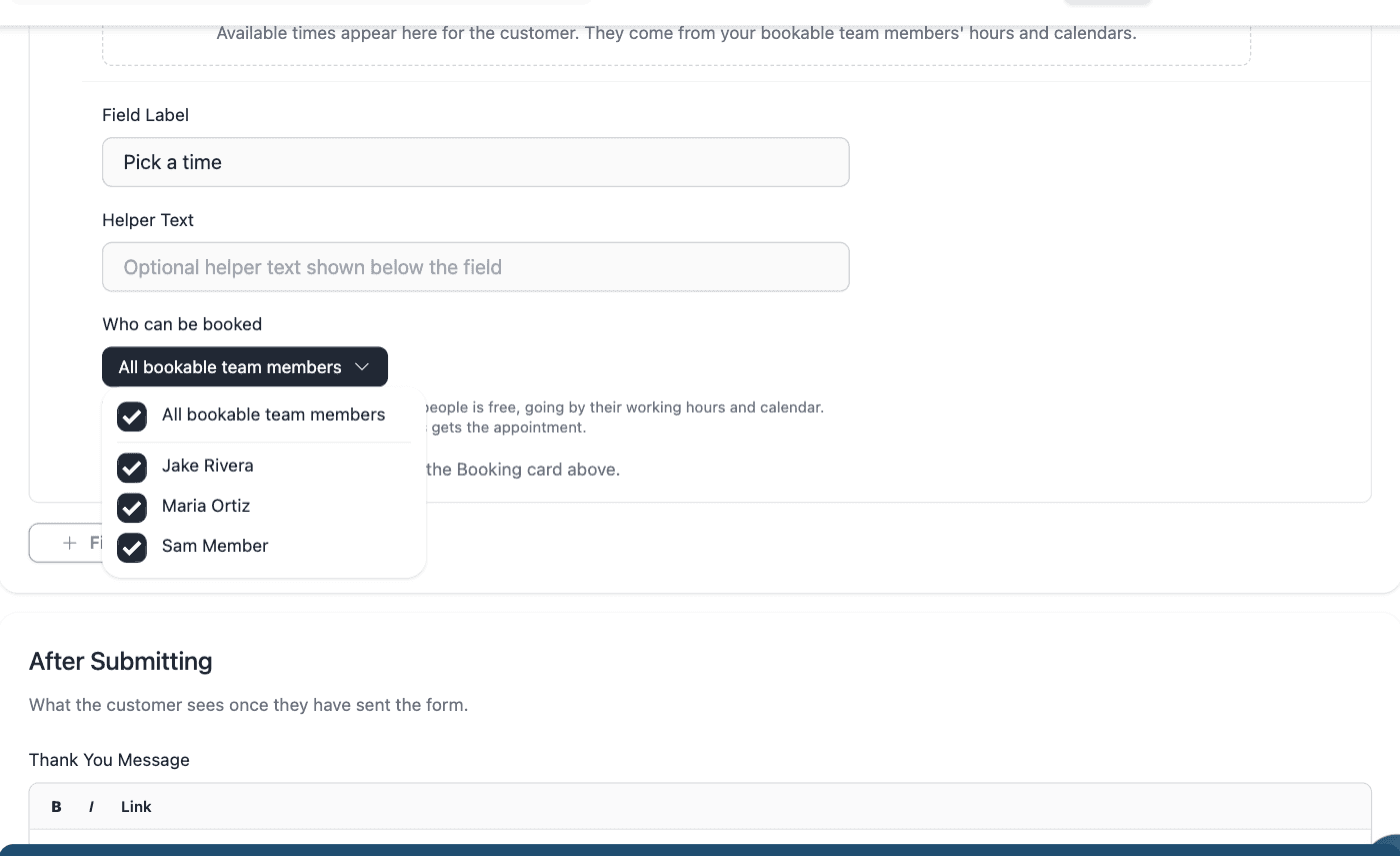
Mark the people who go out on jobs as bookable, and leave everyone else off. Each person keeps their own working hours, so an early starter widens the day rather than being cropped to your opening time. A time is offered when at least one of them can take it, which means two customers can book the same hour when you have two people free.
Services and Durations
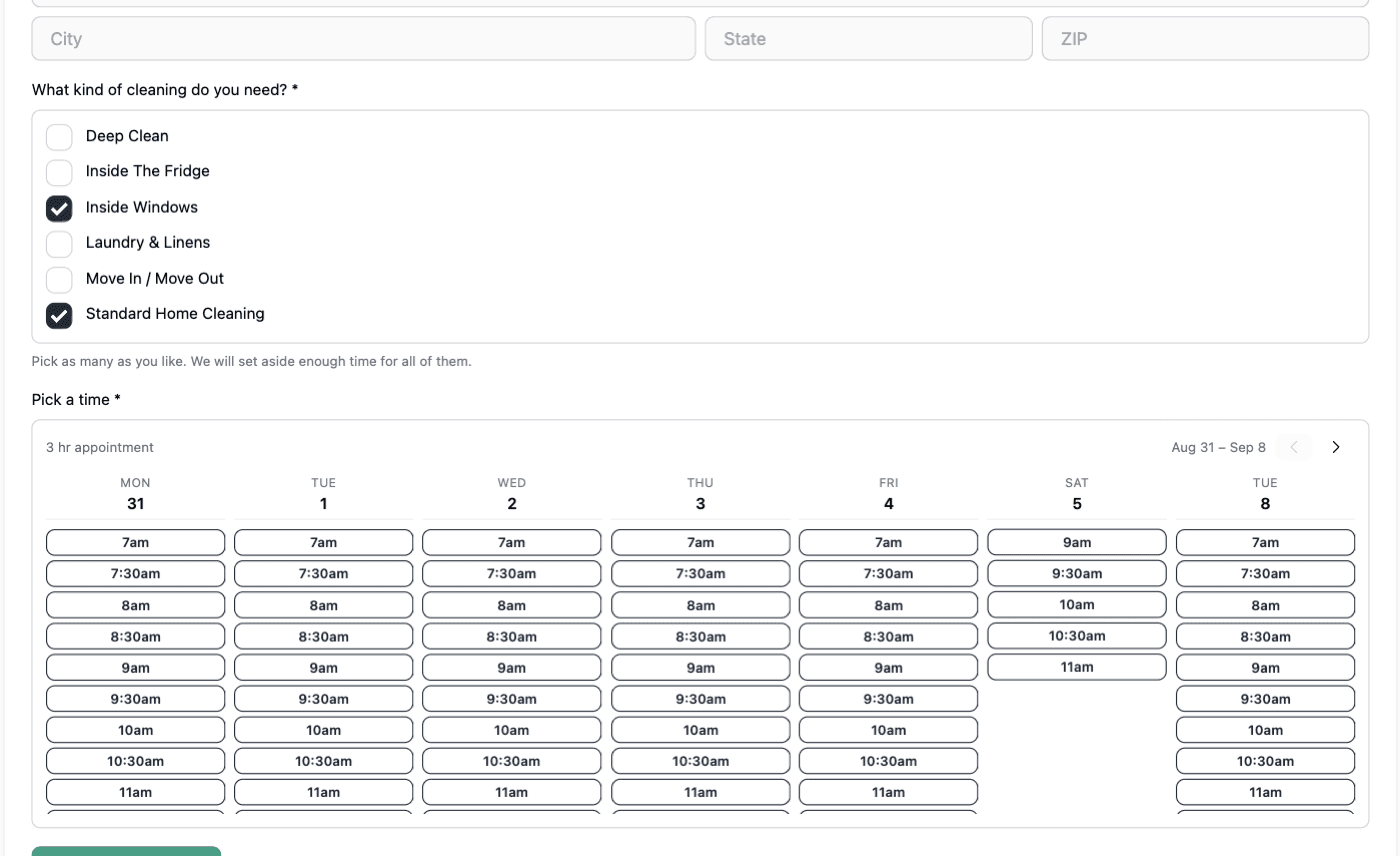
Give each service a length once and let the form do the math. A customer who picks two services gets an appointment long enough for both, and you never end up with a thirty minute slot booked for a half day of work. Services you do not want booked online simply have no duration, so they never show up.
Booking Rules
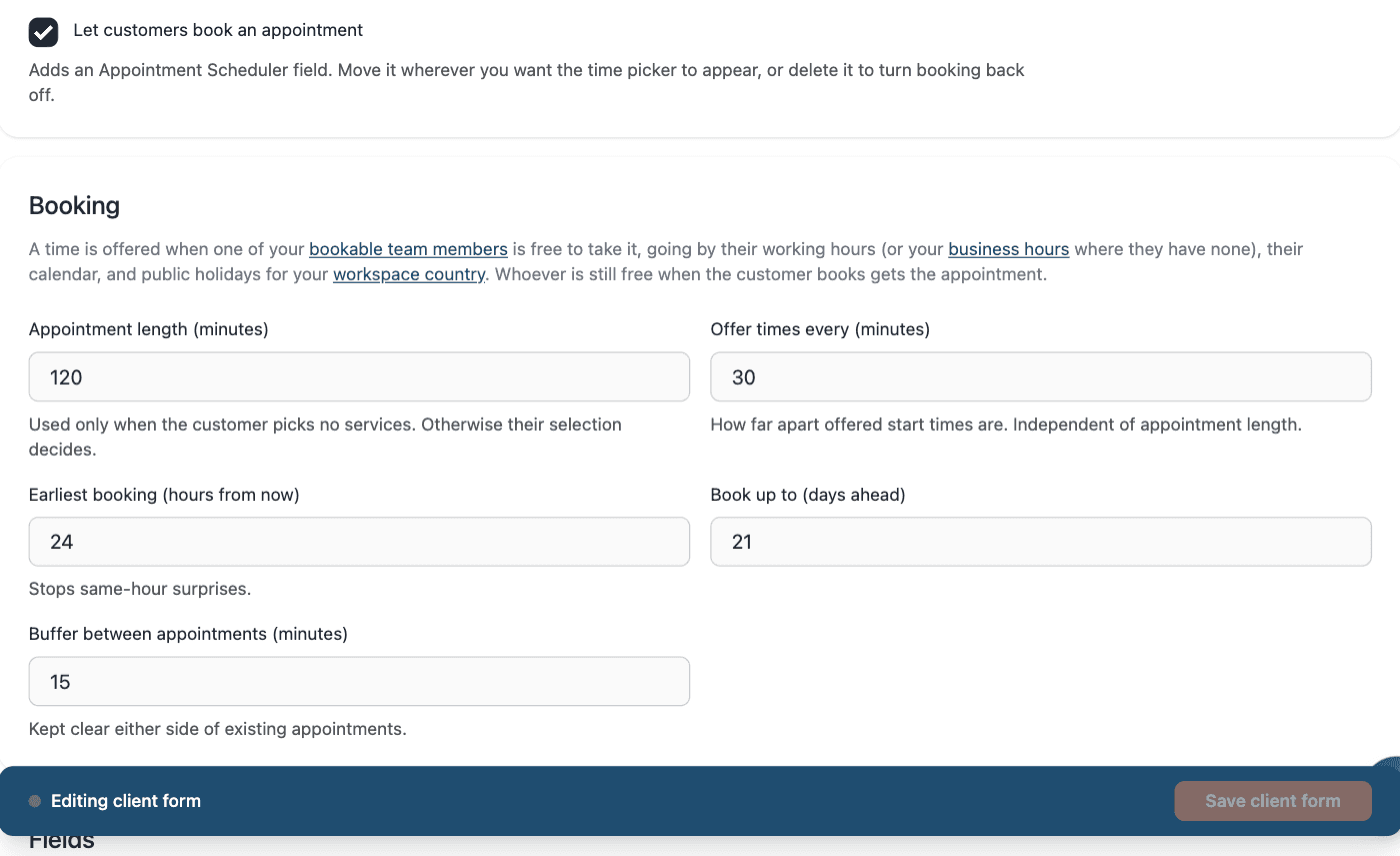
Set how much notice you need before a booking, how far into the future customers can book, and how much buffer to leave on either side of a visit. Buffer widens the busy time rather than the working day, so it stops back to back bookings without stopping the first job of the morning.
Build the Form
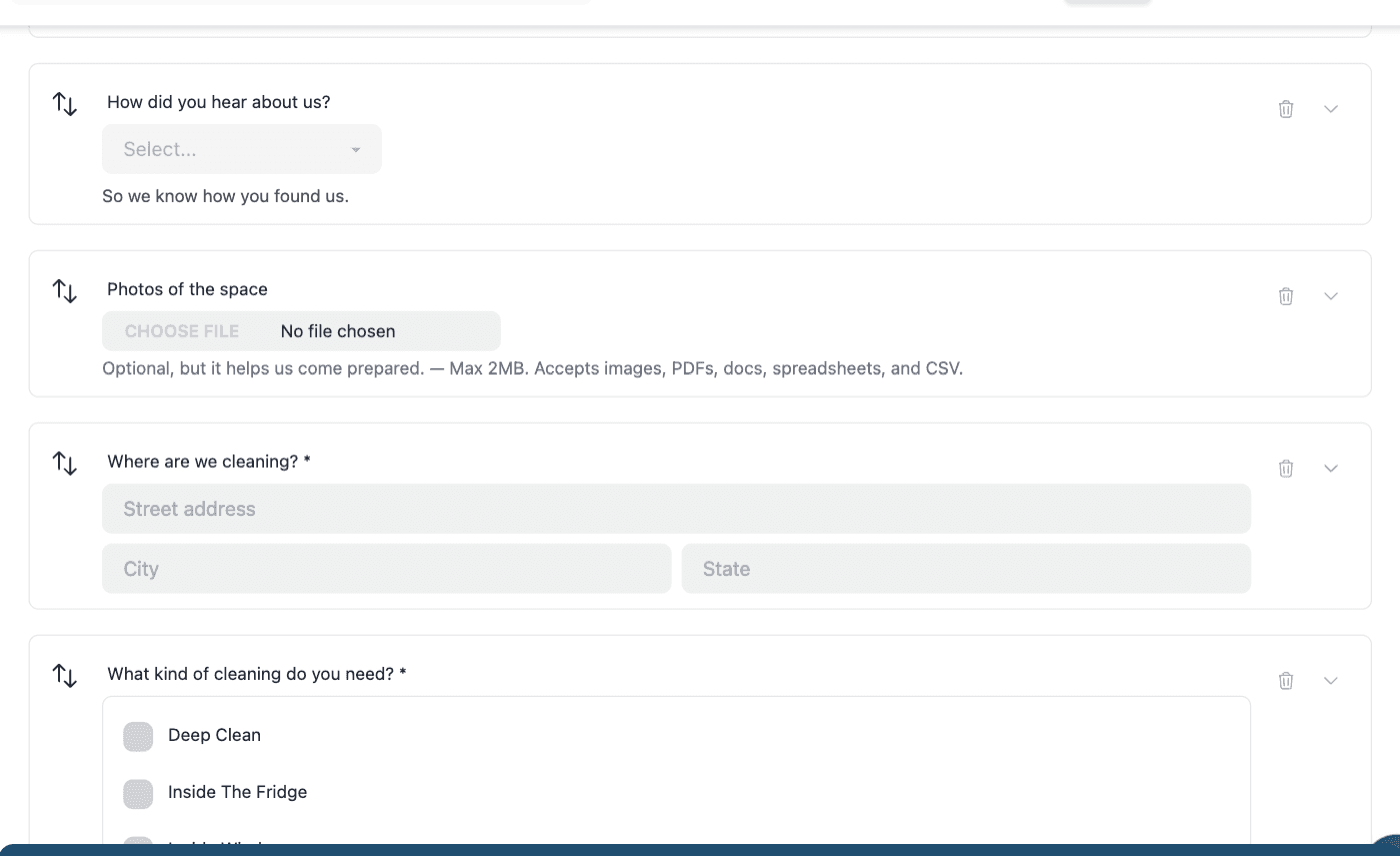
Drag in the questions that matter for the work: the address, gate codes, photos of the problem, whatever you would otherwise ask on the phone. Booking is just one more field on the form, so you can put the time picker wherever it makes sense. Everything the customer answers arrives attached to the job.
Share It or Embed It
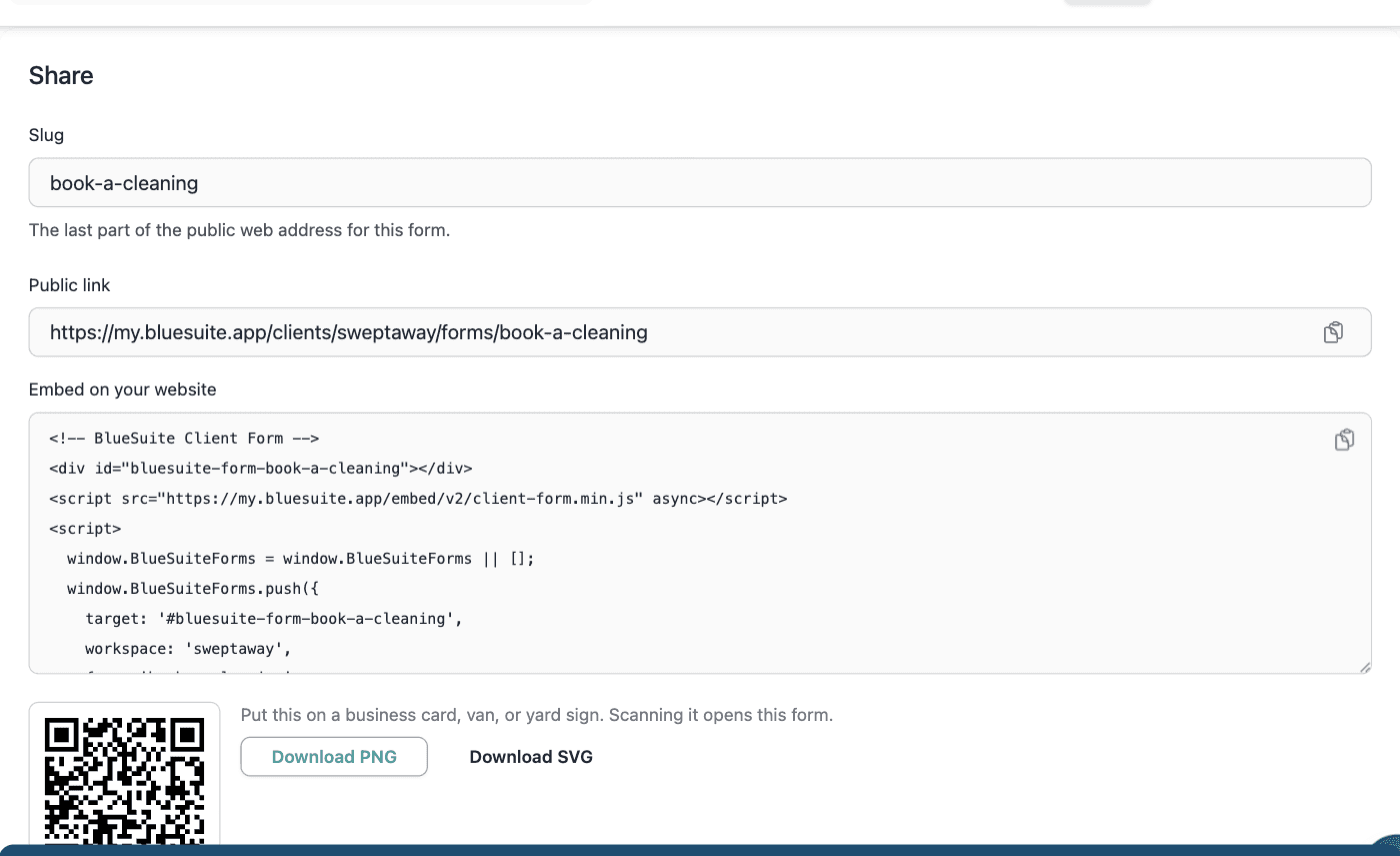
Paste one line into your website and the form renders right in the page, picking up your own fonts and colors instead of sitting in a boxed-in frame. Prefer a link? Every form has its own page you can drop into a text message, an email signature, or your social profiles.
Ready to take your home service business to the next level?
Frequently Asked Questions
How does online booking decide which times to show?
A time is offered when at least one bookable team member is genuinely free for it. BlueSuite looks at each person's working hours, the jobs already on their schedule, your holidays, the buffer you set around appointments, and how much notice you require. Whatever survives all of that is what the customer sees.
Can two customers book the same time slot?
Only if you have two people free for it, which is usually what you want. The same slot can be booked as many times as you have available team members and no more. If two customers try for the last opening at the same moment, one gets it and the other is asked to pick again rather than both being booked in.
Who gets assigned to the appointment?
BlueSuite picks someone who is still free at the moment the booking goes through and assigns them. The work spreads across your team instead of piling onto whoever happens to sort first. You can reassign afterward like any other appointment.
How long is the appointment?
That comes from the services the customer picks. Each service carries its own length, and selections add up, so booking two services books enough time for both. If your form does not ask about services, the form's own default length is used instead.
Can I stop certain people from being booked?
Yes. Being bookable is set per person, so office staff and anyone who does not go out on jobs can be left off entirely. You can also limit an individual form to specific people, which is useful when one type of work is only done by part of your team.
Do I have to put it on my website?
No. Every booking form also has its own page with a link you can share anywhere: a text message, an email signature, a social profile, a printed flyer. The embed is there for when you do want it on your own site, and it needs one line of code.
Will the form match my website?
It inherits your site's fonts by default and lets you set the accent color, text color, background, corner roundness, and spacing. It renders directly in your page rather than inside a frame, so it reads as part of your site instead of something bolted on.
What happens after someone books?
The customer gets a confirmation, and a reminder before the visit. Your team is notified right away, and the booking shows up as an appointment on the assigned person's calendar with a request holding everything the customer told you, including the address and any photos they attached.
Can I collect information without offering appointment times?
Yes. Booking is optional on any form. Turn it off and you have a straightforward lead capture form that files a request for your team to follow up on, which is available on every plan.
Which plan includes online booking?
Online booking is part of the Advanced plan. Forms that capture leads without offering times are included on every plan.