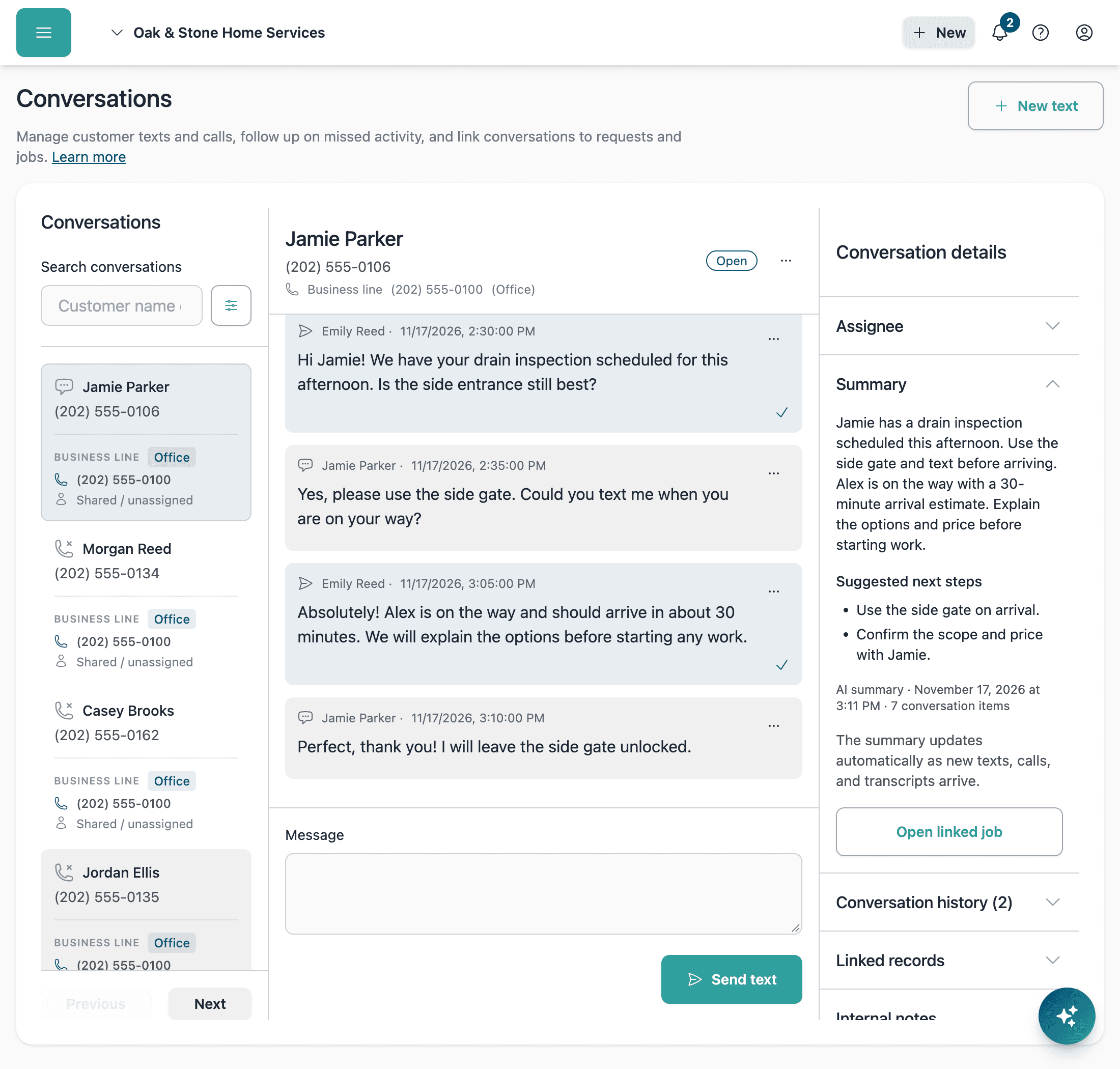
Every customer text and call, connected to your work
Keep your office and field team on the same page
Reply with context
See the customer’s messages and call history alongside the request or job they concern.
Make handoffs easier
Review what was promised and leave internal notes so another teammate can pick up the conversation.
Choose who has access
Use roles and number or conversation assignments to control which customer conversations teammates can see.

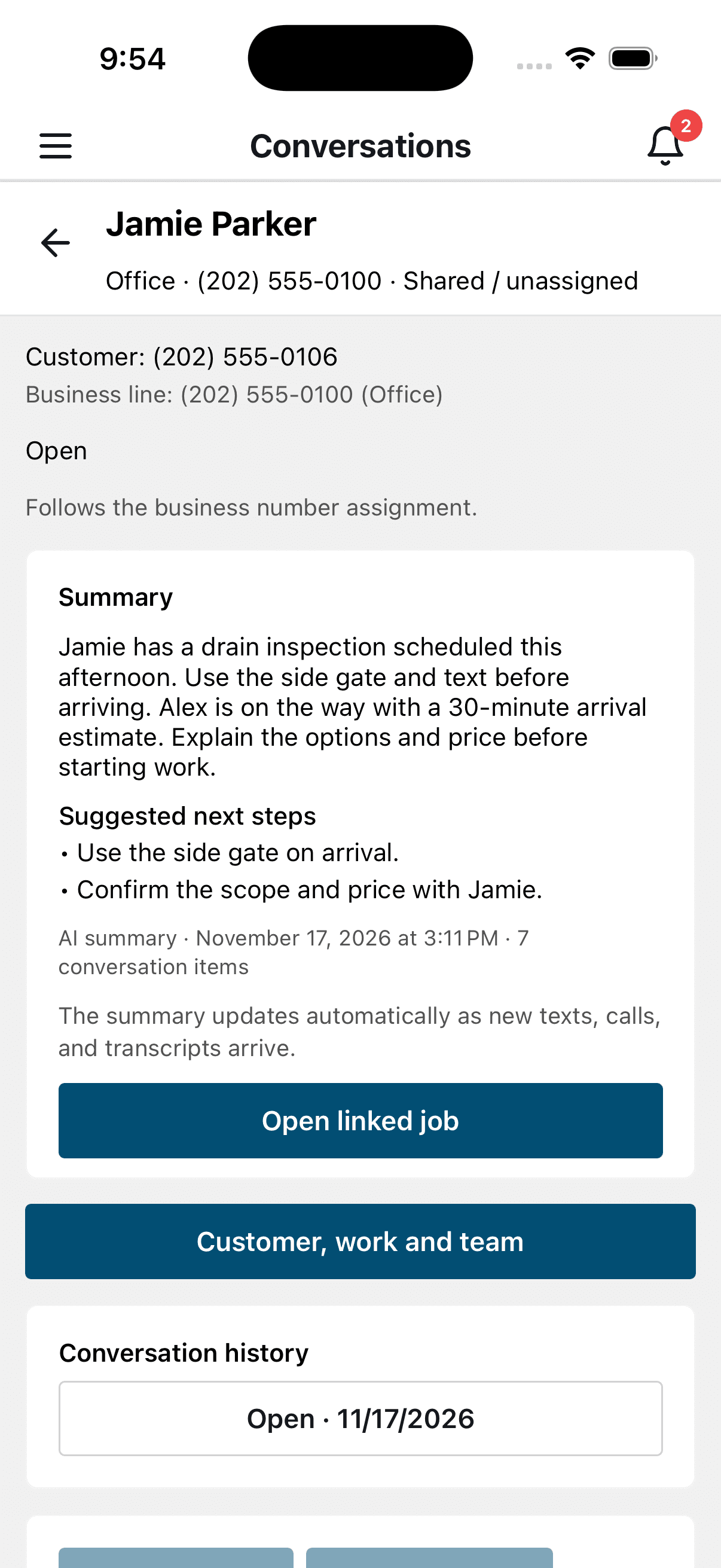
Text customers right from the job
Send and receive customer texts without leaving the BlueSuite mobile app, using your connected Quo business numbers. Open a job or request to start a text with the customer and work details already selected. The office can review the same conversation and help with follow-up.
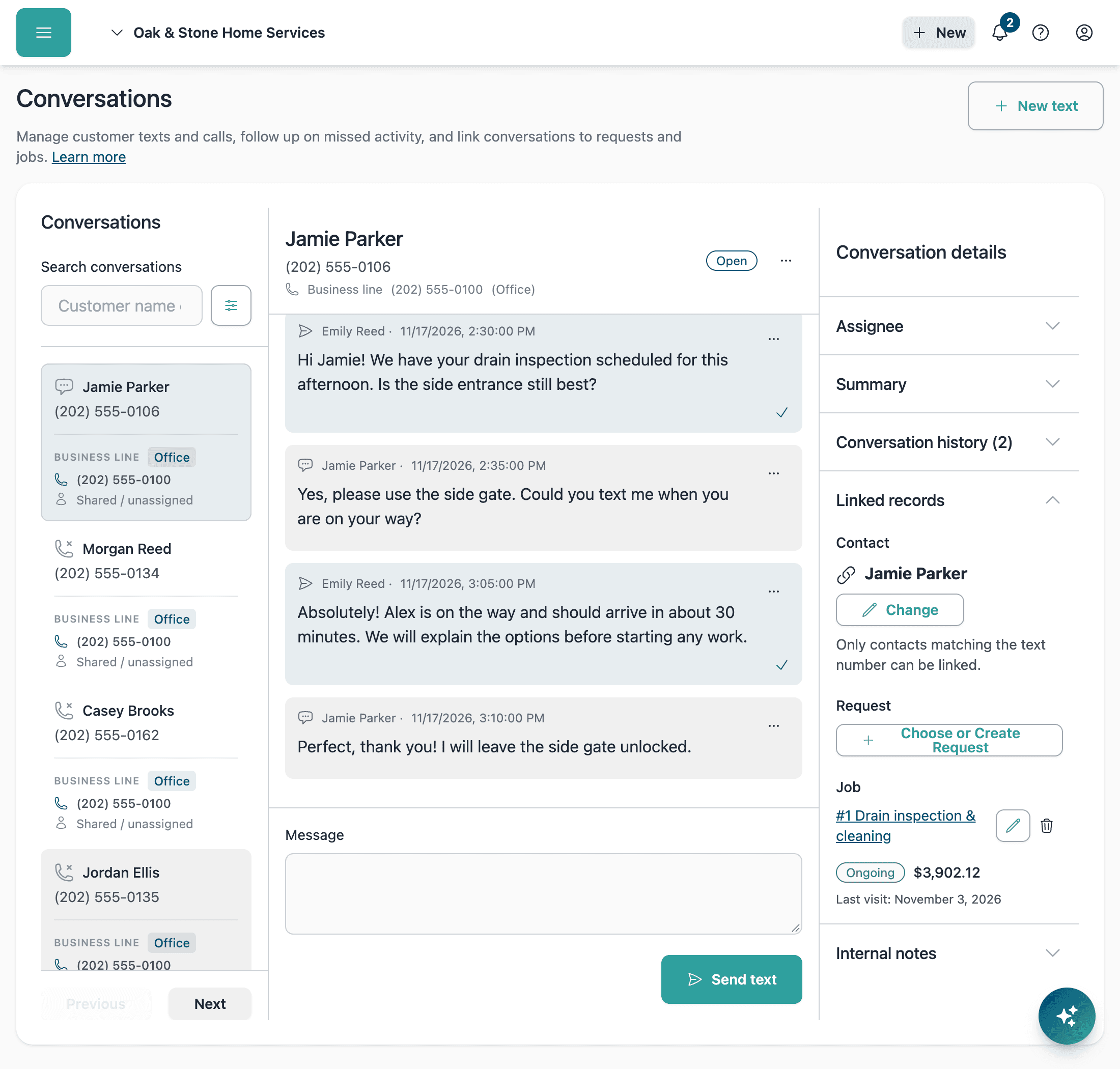
Keep the customer’s instructions with the job
A customer texts an access code, asks about arrival, then calls with a change to the work. Link the conversation to their request or job so those details are close at hand. Review texts and call history from the customer or work record, and reply without searching through a separate inbox.
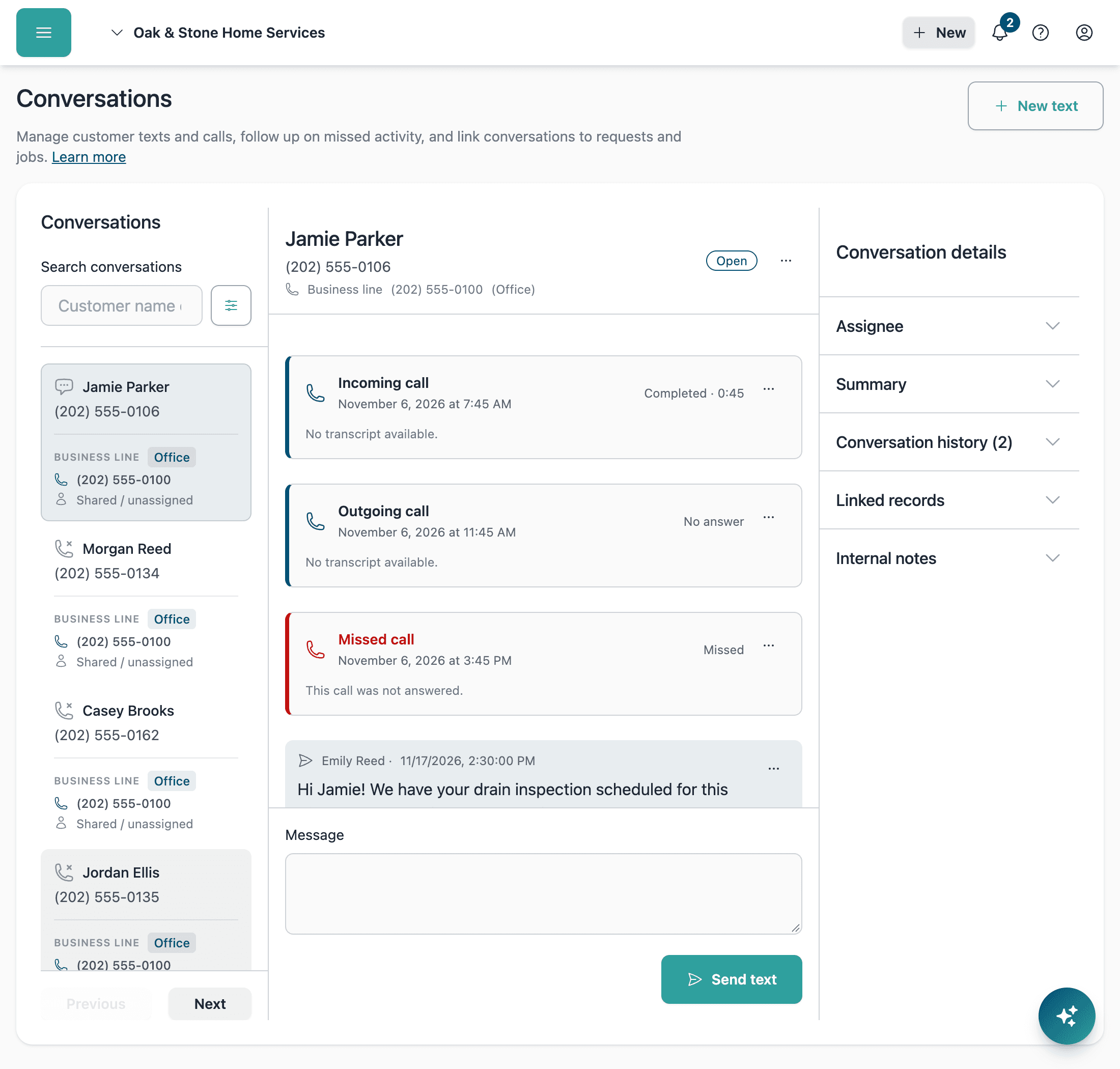
Make follow-up easier to manage
Spot unread texts and unseen missed calls in the conversation list, then review the history to decide what needs a response. Assign the conversation to a teammate so the next step has an owner. Teammates with an assigned number can choose email and dashboard alerts for incoming texts and missed calls.
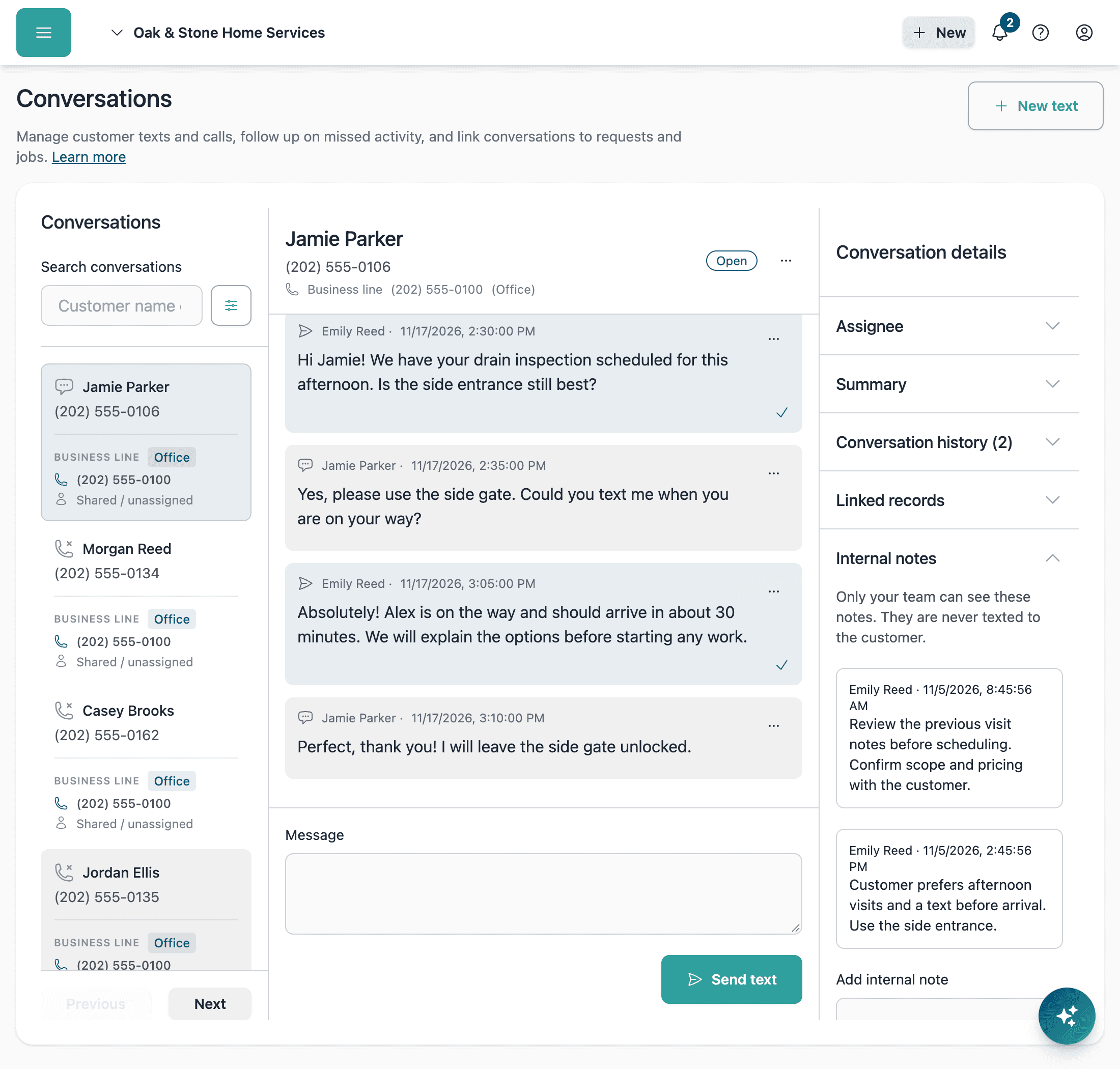
Help the next teammate pick up with context
Catch up with an automatically updated summary of customer texts and call transcripts. Leave internal notes about what was promised or what needs to happen next, without sending them to the customer. The next teammate can review the summary and original conversation before responding.
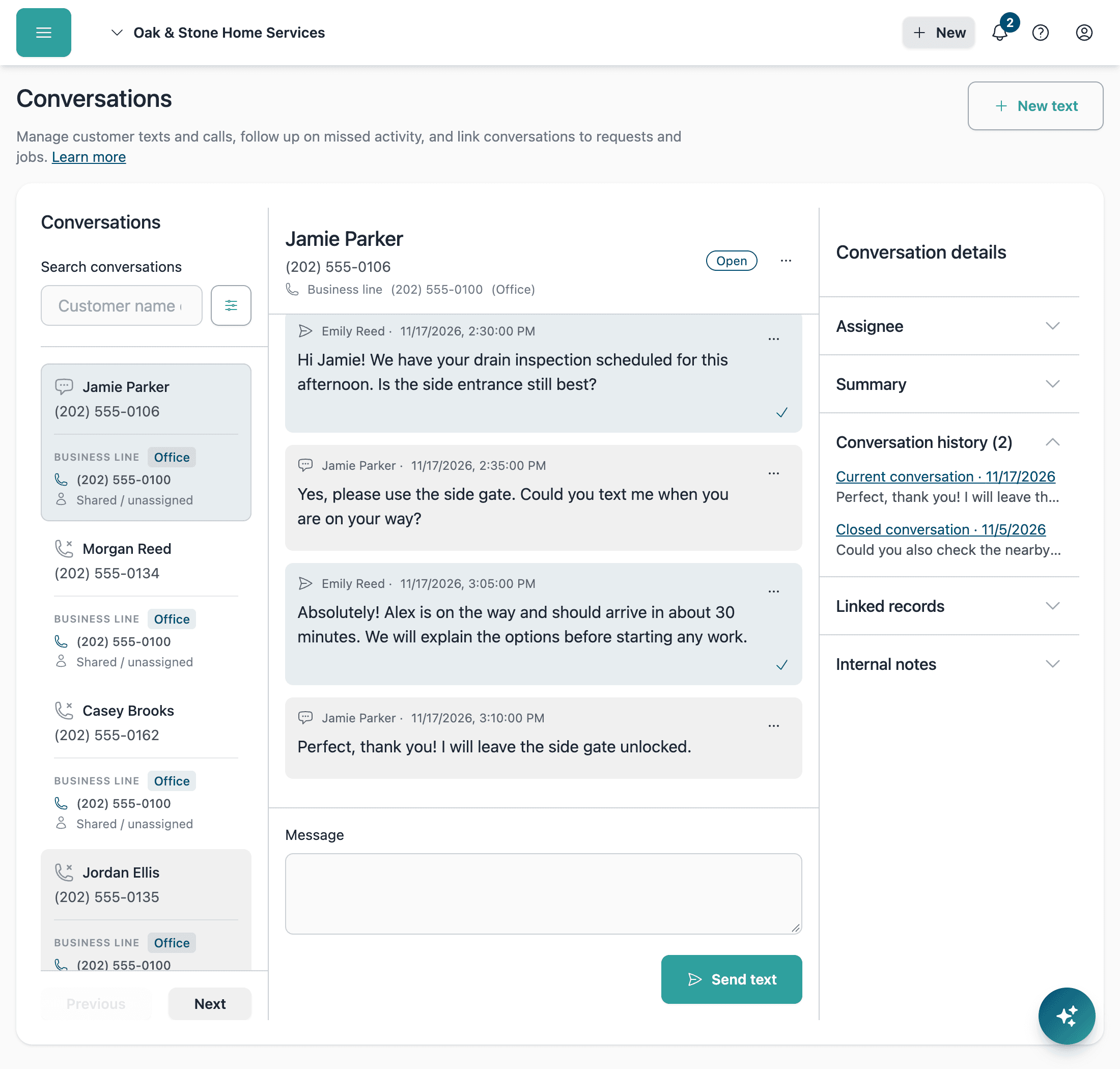
Keep new work separate from finished inquiries
Close a finished conversation without losing its history. When the customer gets in touch about new work, keep that inquiry in a separate conversation with its own request or job. You can also separate an existing thread after the last text or call related to the earlier inquiry.
Your Quo numbers, without BlueSuite usage caps
Recognize your customers
Optionally sync BlueSuite contact details to Quo so your team has customer names and information there too.
Keep customers informed
Use Quo for supported automated customer texts. Before sending “I’m on my way,” customize the message and arrival estimate, then choose text, email, or both.
Connect the right plan
Customer Conversations requires BlueSuite Advanced or Enterprise and a separate Quo account with API access. Your Quo plan and sending requirements apply.
Keep the conversation connected to the work
Bring customer follow-up into the same place you manage your jobs.
Customer Conversations FAQs
Does BlueSuite limit the number of texts or calls?
BlueSuite adds no monthly text-message or call-volume caps to this integration. Your separate Quo subscription and usage policies still apply, including charges for outgoing API texts. Quo advertises unlimited US and Canada calling and messaging, but lists API messaging separately. See Quo pricing for current terms. AI summaries count toward your BlueSuite AI usage allowance.
Do I need a Quo account?
Yes. Customer Conversations connects your Quo business numbers to BlueSuite. You need a separate Quo account with API access and a BlueSuite Advanced or Enterprise plan. Quo service is not included in your BlueSuite subscription.
Can employees text customers from the mobile app?
Yes. Employees can send and receive customer texts without leaving the BlueSuite mobile app, using your connected Quo business numbers. They can also review call history and conversation details. Access follows their role and number or conversation assignments. Calls are made and answered through Quo.
Can I make and answer calls in BlueSuite?
Calls are made and answered through Quo. BlueSuite displays incoming and outgoing call history, missed calls, and available transcripts alongside customer texts. You can send and receive texts in BlueSuite using connected Quo numbers.
Can I use my existing Quo business numbers?
Yes. Connect your Quo account and select the available numbers you want to use in BlueSuite. Assign numbers to teammates or leave them shared. You can also import earlier texts and calls from connected numbers.
Can everyone see every conversation?
Access follows team roles, conversation and number assignments, and customer-contact visibility permissions. You can control whether Members and Limited Members see shared numbers or other teammates’ conversations. Read status is personal, so one teammate opening a conversation does not mark it read for everyone.
What happens when a returning customer needs a different job?
Texts and calls between a customer number and business number stay together while a conversation is open. Close a finished inquiry to let the next interaction start separately. The earlier history stays available, and the new conversation can link to different work.
Are call transcripts and AI summaries always available?
Call transcripts depend on what is available from Quo. BlueSuite summaries update automatically when there is eligible conversation content and count toward your workspace’s AI usage limit. Review the original texts and transcripts before relying on a summary.
Do customer texting permissions still apply?
Yes. Starting a new outbound text requires a matching contact with recorded SMS permission. Customer opt-outs and Quo sending restrictions still apply. See the Conversations setup guide for details.