AI Website Builder
BlueSuite’s AI website builder allows you to create a professional WordPress website in minutes—without coding or hiring a designer. Using AI, BlueSuite automatically generates a complete website tailored to your business, services, and service areas.
This support article explains how to create your website using BlueSuite’s AI-powered website tool, from initial setup through launch.
How the AI Website Builder Works
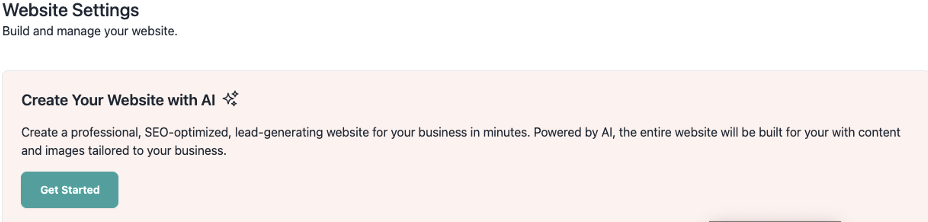
The AI website builder generates a complete WordPress website based on the information you provide during setup. To begin, click the Website button in the top-right corner of your BlueSuite workspace.

Once selected, this opens your website settings and launches the website setup wizard. From there, click Get Started to begin the setup process.
Website Builder Setup Requirements
The website setup wizard uses the following details to create your homepage, service pages, and contact information:
- Business Name
- About Your Business
- Industry
- Company Logo
- Public Email Address
- Public Phone Number
- Public Business Address
- Primary Website Color
- Secondary Website Color
- Enable AI-generated blog posts (optional)
- Enable AI-generated testimonials page (optional)
💡 If enabled, the platform creates industry-specific blog posts and sample testimonials tailored to your business.
Owner Information for the About Page
Owner information helps the AI website builder create a clear and trustworthy About page. Specifically, this information is used to personalize your company profile.
- Owner Name
- Owner Title
- Owner Email Address
Services and Locations Setup
Services and locations are essential for SEO and customer clarity. In addition, this information is used to automatically generate service and location pages for your website.
Website Builder Service and Location Pages
To ensure proper website creation, complete the following steps.
First, add your services:
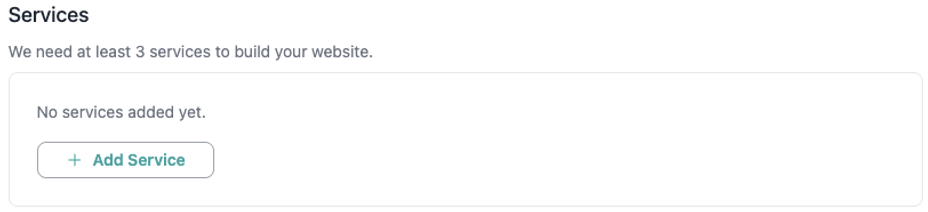
- Add at least three services your company offers
(Example: House Cleaning, Deep Cleaning, Move-Out Cleaning)
Next, add your locations:
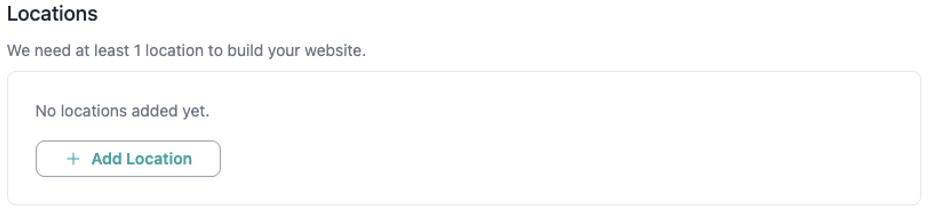
- Add at least one service location
(Additional locations can be added later to improve local search visibility.)
Generate Your Website
Once all required information is completed, the AI website builder automatically generates your WordPress website. Typically, this process takes only a few minutes.
- ⏱ Typical build time: just a few minutes
- 🌐 Default domain:
yourbusiness.bluesuite.app
At this point, your website is published and ready to receive visitors.
Your Website Is Live
Your AI-generated WordPress website is now live, editable, and ready to grow with your business. If needed, updates can be made at any time from your website settings.
For additional help with:
- DNS setup
- Editing website content
- Adding or updating services and locations
Visit the BlueSuite Support Center or contact our support team at any time.