Create Quote Templates
A quote template helps you create consistent, professional quotes faster by reusing common services, pricing, and customer messaging. BlueSuite allows you to save and reuse these layouts so you can send accurate quotes without starting from scratch every time.
This guide walks you through both methods so you can choose the workflow that fits your business best.
What Is a Quote Template?
Templates allow you to pre-configure services, line items, pricing, and notes that you use frequently. These saved layouts make it easy to generate accurate quotes in seconds while keeping your pricing and presentation consistent.
If you’re new to quotes in BlueSuite, start with our guide on Creating and Managing Quotes in BlueSuite
Option 1: Create a Template from the Quotes Module
This method is ideal if you want to create a quote template before sending quotes to customers.
Steps
- Navigate to the Quotes module in BlueSuite.
- Click three-dot (…) menu -> Templates.
- Select + Template.
You’ll be taken to the New Template page, where you can:
- Name your template for easy identification
- Add a custom message that customers will see on every quote
- Add line items, products, and/or services
- Include images, descriptions, and pricing
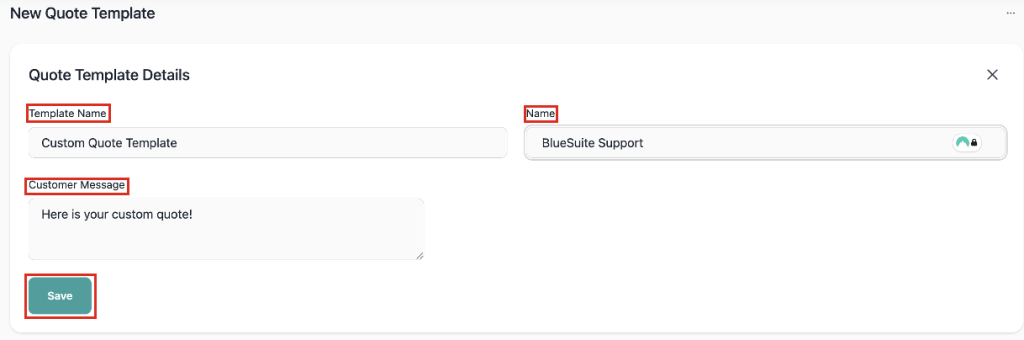
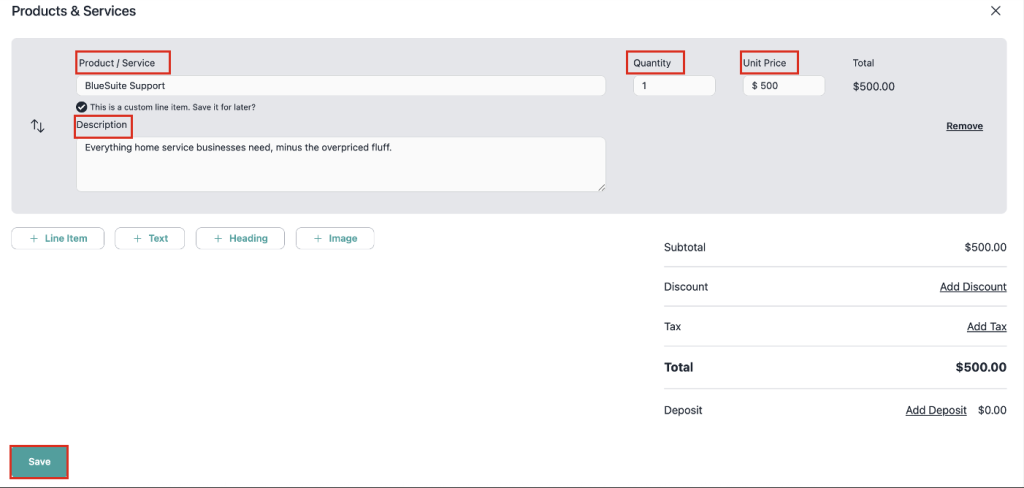
- Click Save once everything is complete.
✅ Your template is now saved and ready to use anytime.
Option 2: Save an Existing Quote as a Template an Existing Quote
You can also turn any completed quote into a template.
Steps
- Go to the Quotes module.
- Click + Quote.
- Select + Create New Quote (or select an existing quote).
- Build your quote by adding:
- Services or products
- Line items
- Images
- Pricing and descriptions
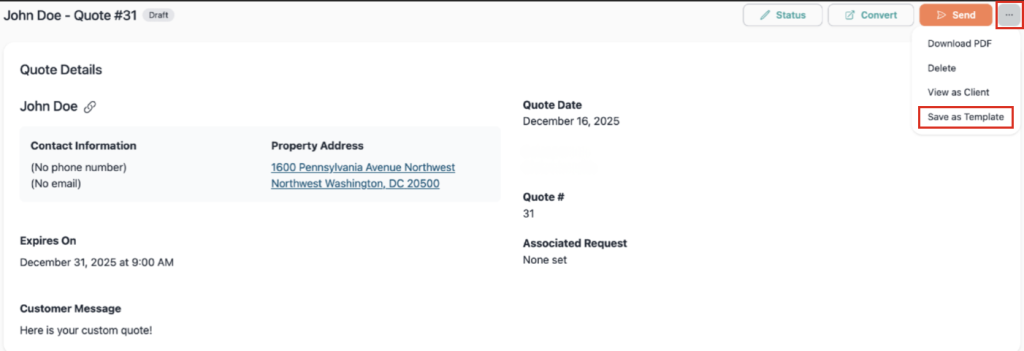
- In the top-right corner of the quote, click the three-dot menu (•••).
- Select Save as Template.
✅ This quote is now saved as a template and can be reused at any time.
How to Use a Quote Template
Once your template is created:
- Navigate to the Quotes module.
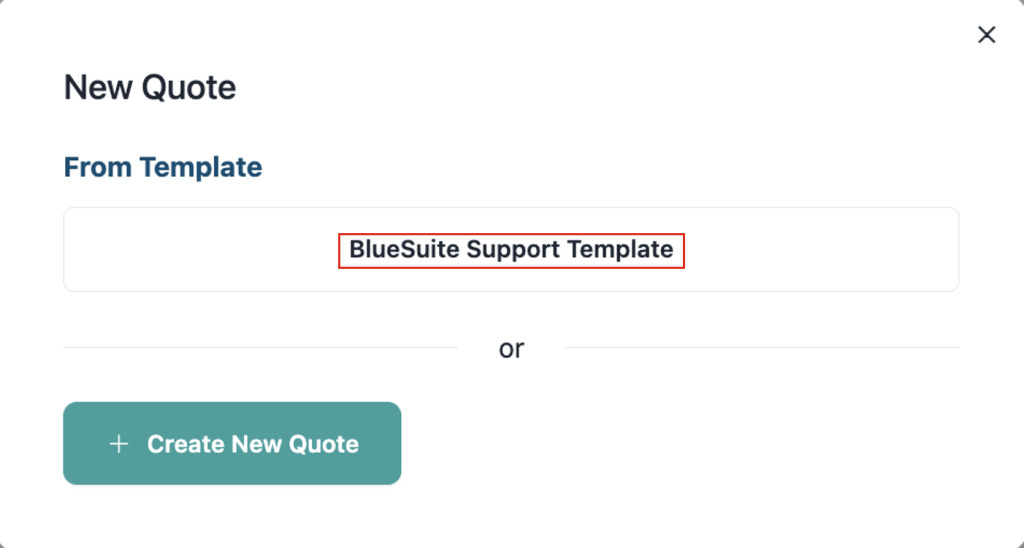
- Click + Quote.
- Select your saved template from the list.
The template will load instantly, allowing you to send professional quotes in seconds.
Best Practices
To get the most value from your quote template:
- Use clear, descriptive template names
- Keep pricing and services up to date
- Customize the customer message for different job types
- Review your quote structure regularly
For additional guidance, check out:
Summary
A template helps you work faster, stay consistent, and present a professional image to customers. Whether you create one from scratch or save an existing quote as a template, both options give you the same reusable result.